Tag: Small Business Owners

  • The Management Consulting Process: A Step-by-Step Guide for Business Growth

    The Management Consulting Process: A Step-by-Step Guide for Business Growth

    The management consulting process is a structured, multi-stage framework used to analyze complex business challenges, develop strategic solutions, and guide implementation. It typically begins with defining the problem and gathering data, followed by in-depth analysis, creating actionable recommendations, and overseeing their execution to improve an organization’s performance and efficiency.

    Are you an entrepreneur or small business owner trying to grow your company? Many founders feel overwhelmed by marketing and operations. It’s a struggle to expand online and find steady leads without losing quality. Building a professional online presence and boosting revenue can feel like a puzzle. You may be wondering how to simplify operations, automate tasks, and achieve lasting small business growth.

    What if you could tackle your business challenges like an expert consultant? This article explains the proven management consulting process in a simple, step-by-step guide for entrepreneurs. We’ll show you how to use this system to find problems, create effective online solutions, and build effective strategies. You can apply it to everything from branding and website creation to automated sales and lead generation. This is not a temporary fix. It’s about creating a solid plan for long-term success.

    Using a structured consulting process helps you stop just reacting to problems and start planning for growth with real data. You’ll learn how to get consistent results by creating reliable systems. This lets you automate daily tasks so you can focus on growing your business. Are you ready to improve your operations and online presence with business automation? Let’s explore why this organized approach is essential for real, long-term growth and profit.

    Why Should Your Business Adopt a Management Consulting Process?
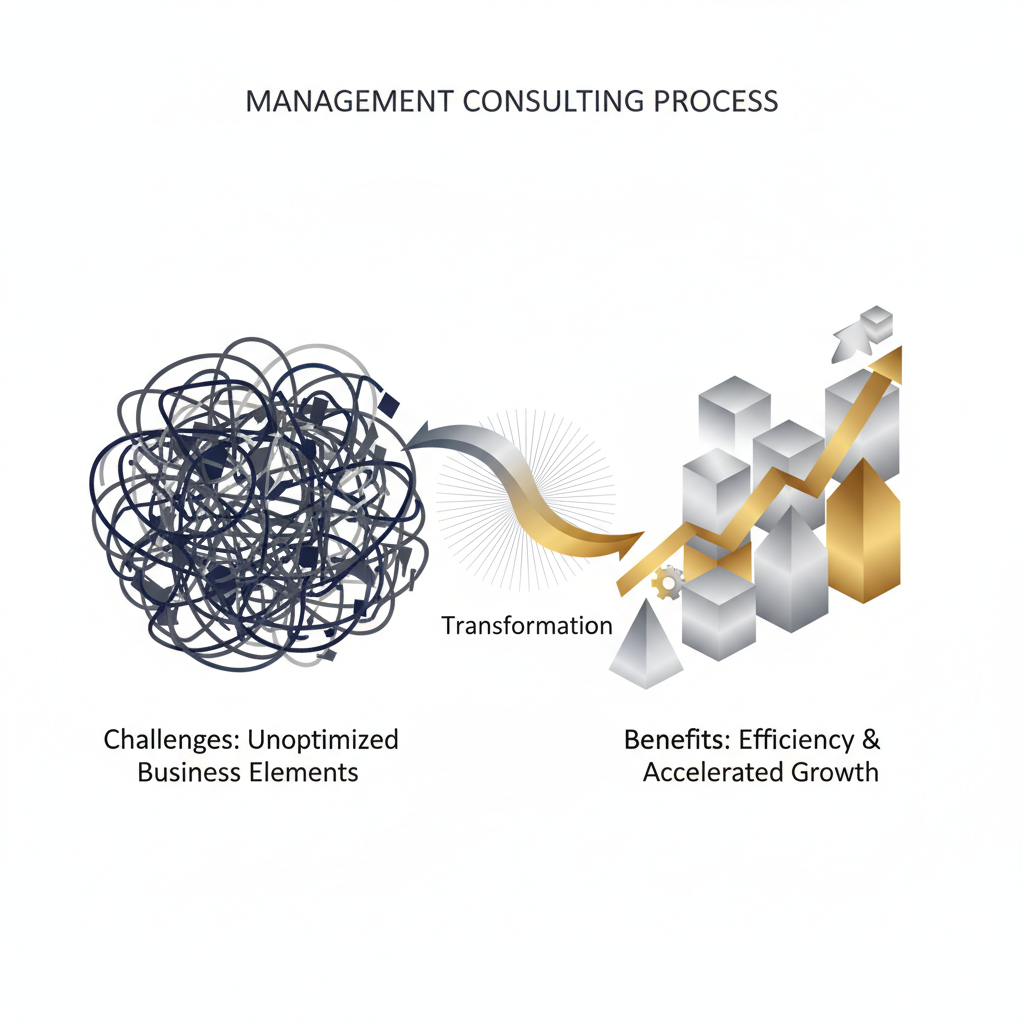
    An abstract infographic illustrating the transformation from tangled business challenges to streamlined, upward-trending growth and efficiency, using geometric shapes in deep navy, charcoal, silver, and gold.
    An executive-level infographic. Visualize abstractly the transformation and benefits of adopting a management consulting process. On the left, depict a complex, tangled network of unoptimized business elements in charcoal and deep navy, representing challenges. Transition this into the right side, showing a streamlined, clear, and upward-trending growth trajectory, represented by geometric or isometric shapes in silver and gold highlights, indicating efficiency, problem-solving, and accelerated growth. Use subtle gradients. No people or cartoons. Maintain professional, minimalist, vector style with ample negative space for implied labels. The overall tone is confident, results-driven, and premium.

    Moving from Reactive Fixes to Proactive Growth

    Many small business owners are always putting out fires. They only fix issues after they become urgent problems. This reactive approach wastes time and stops long-term growth.

    Imagine patching leaks forever instead of building a strong, waterproof boat. This is the reality for businesses without a clear plan. They struggle with unreliable leads, messy marketing, and wasted effort. In fact, about half of all small businesses fail within their first five years [1]. This is often because of a lack of strategic planning and the inability to adapt.

    A management consulting process changes this. It shifts your focus from just fixing today’s problems to building for the future. This proactive approach helps you see challenges coming, seize new opportunities, and build a stronger business.

    With expert help in business automation, you can stop guessing. You’ll use proven systems that save time and deliver steady results. This structured approach helps your business grow with a purpose, not just survive day-to-day.

    The Core Benefits: Clarity, Efficiency, and Scalability

    A good management consulting process offers real benefits that drive your business forward. These advantages are key if you’re serious about building and growing your online business.

    • Enhanced Clarity: You get a clear picture of where your business is now and where it can go. This process helps you set clear goals, find your ideal customer, and define your place in the market. You’ll go from a fuzzy idea to a clear, step-by-step plan for growing revenue. This clarity helps you make smarter decisions.
    • Unmatched Efficiency: This process finds the things that slow you down in your operations and marketing. It then helps you streamline workflows. By automating your business processes, you can put repetitive tasks on autopilot. This includes things like sales funnels, lead generation, and social media. Your team is then free to focus on work that matters most. As a result, you save a lot of time and money.
    • Sustainable Scalability: To grow your business steadily, you need strong systems. A management consulting process helps you build them. It makes sure your business can handle more customers without sacrificing quality. This means you are ready to expand. You can confidently find more clients and manage them well. Everything from branding and web design to your online reputation works together to support your growth.

    Automated-Biz helps you make this change. We offer the expert advice and tools to take your business from manual, messy work to smooth, automated operations. You’ll go from unreliable leads to a steady stream of new clients. We also help you shift from slow growth to systems that are built to scale. Our all-in-one platform includes branding, custom web design, social media, automated sales funnels, and full support. All of this helps you build a professional online presence and earn more money with less work.

    What Are the Key Stages of the Management Consulting Process?

    A step-by-step infographic showcasing the key stages of a management consulting process, depicted as a linear flow of geometric shapes with minimalist icons and silver/gold accents.
    An executive-level infographic. Design a clear, step-by-step visual representation of a multi-stage management consulting process. Use a linear or circular flow diagram composed of distinct, numbered isometric or geometric shapes. Each stage should be clearly delineated, progressing from left to right or clockwise. Incorporate minimalist icons within or beside each stage, such as a magnifying glass for ‘Analysis’, gears for ‘Strategy/Implementation’, and an upward arrow or bar chart for ‘Results/Growth’. The color palette is deep navy, charcoal, and white, with silver or gold accents on key directional elements or progress indicators. Use clean lines, subtle gradients, and ample negative space. No people or cartoons. The style is professional, minimalist, and vector, conveying a premium and actionable process.

    Stage 1: Problem Definition & Entry

    Every successful business change starts with a clear understanding of the problem. This first stage is all about defining the problem. We work with you to find what’s really holding your business back. Are you struggling to grow online? Are you overwhelmed with marketing and operations? Finding the exact pain point is key.

    Next, we agree on the project’s scope and goals. This makes sure we’re on the same page about the results. A clear problem statement guides the entire process. It helps us focus on the real cause of the issue, not just the symptoms.

    • Find core challenges: What specific issues impact your revenue or efficiency?
    • Set the project scope: What areas of your business will we work on?
    • Set clear objectives: What measurable results do you want to achieve?
    • Agree on expectations: Ensure we both understand the process and what will be delivered.

    Stage 2: Data gathering & Fact-Finding

    Once we define the problem, we gather data. This means we look closely at your operations, your market, and your customers. We collect facts to get a clear picture of where you stand. This way, we use real data, not just guesses.

    We use different methods to gather data, including interviews, surveys, and looking at your performance numbers and competitors. For online businesses, we often analyze website traffic, social media data, and customer feedback. This helps us find ways to get more leads and improve the customer experience. Good data is the foundation for any good solution.

    • Review internal documents: Analyze sales reports, marketing data, and how you operate.
    • Talk with key team members: Speak with important staff to understand their views.
    • Analyze market trends: Understand industry changes and what competitors are doing.
    • Examine customer feedback: Use surveys, reviews, and support requests to learn more.
    • Use digital analytics: Track website traffic, conversion rates, and social media performance.

    Stage 3: Data Analysis & Diagnosis

    With the data collected, we move to the analysis and diagnosis phase. Here, we turn raw information into useful insights. We search the data for patterns, root causes, and ways to improve. We look for roadblocks in your workflow or gaps in your online presence.

    Our team finds the root of the problem. We figure out why you’re struggling to get leads or why your online reputation needs a boost. This clear-eyed look is key to creating the right solutions. It helps your business move from just fixing problems to planning for growth.

    • Identify key trends: Spot repeating patterns in your performance data.
    • Find root causes: Figure out why certain problems exist.
    • Compare your performance: Check your metrics against industry standards [2].
    • Find opportunities: Discover areas to become more efficient or grow revenue.
    • Create a clear diagnosis: Summarize the main challenges, backed by data.

    Stage 4: Solution Development & Recommendations

    Based on our findings, we develop practical solutions that get results. This means we brainstorm and create strategies just for you. We focus on creating simple plans that fix problems and use opportunities. We aim for solutions that work now and in the future.

    We might recommend new automation tools, better sales funnels, or improvements to your brand and website. We explain the benefits of each solution clearly. This includes how they will save you time, make you more money, and improve your online presence. Our goal is to give you expert advice that leads to real results.

    • Brainstorm solutions: Explore different ways to solve the problem.
    • Create clear strategies: Outline simple steps to take.
    • Focus on high-impact solutions: Prioritize recommendations that will make the biggest difference.
    • Explain the benefits: Clearly state the expected results of each recommendation.
    • Provide a clear roadmap: Give you a plan to achieve your desired results.

    Stage 5: Implementation & Execution

    This is where the plan becomes reality. Putting the plan into action is key to getting real results. We work with you to carry out the new strategies. This can include setting up new automation, launching sales funnels, and improving your online presence. Our hands-on support makes the changeover smooth.

    Automated-Biz gives you the tools and help to make this stage easier. We help you automate repetitive tasks and use your small business marketing services well. This turns plans into action, leading to real growth and efficiency.

    • Develop an implementation plan: Detail timelines, resources, and who does what.
    • Set up new systems: Integrate business automation tools and software.
    • Launch marketing campaigns: Start your automated sales funnels and social media strategies.
    • Provide training and support: Make sure your team can use the new tools and processes.
    • Help your business adapt to change: Guide a smooth transition to new ways of working.

    Stage 6: Measuring Results & Feedback

    After the plan is in place, we track performance. This stage is all about tracking results and getting feedback. We check how well the new solutions are working toward the original goals. Are you getting more leads? Is your online reputation better? We use data to answer these questions.

    By tracking progress, we can make adjustments as we go. We analyze data from your sales funnels, social media, and other online tools. This makes sure your strategies are always working their best. This feedback process is key for long-term growth.

    • Set success metrics (KPIs): Decide which numbers to track for success.
    • Track performance data: Regularly review your analytics and reports.
    • Gather feedback: Collect input from your team and customers.
    • Check results against goals: Compare your actual results to what you aimed for.
    • Find what needs to be improved: Pinpoint areas that need fine-tuning for better results.

    Stage 7: Project Closure & Exit

    The final stage is the official end of the project. Our goal is to leave your business stronger and able to succeed on its own. We make sure all goals have been met and your team has the knowledge they need. This sets your team up for future success.

    We review the entire project, noting what we learned and suggesting future steps. Our aim is to give you strong, automated systems for continued growth. Automated-Biz helps you confidently manage your online presence and sales funnels long after we’re gone.

    • Confirm project success: Make sure all goals have been met.
    • Write down lessons learned: Summarize the key insights from the project.
    • Pass on key knowledge: Prepare your team to manage things on their own.
    • Plan for long-term success: Set up processes to maintain and improve your systems.
    • Officially close the project: End the project with a clear exit plan.

    How to Apply This Process to Your Small Business Challenges

    Identifying Bottlenecks in Your Sales Funnel

    To grow your small business, you need to understand your sales funnel. Many owners struggle to grow online because of hidden problems. A “bottleneck” is a point in your sales process where you lose potential customers before they can buy.

    Start by mapping out your customer’s journey. Picture every step they take, from first hearing about you to making a purchase. This map will show you the weak spots in your automated sales funnels.

    Use these steps to find and fix problems in your funnel:

    • Define Each Stage: Clearly write down every step a customer takes. This includes their first contact with you, their engagement, and the final sale.
    • Track Key Numbers: Look at your conversion rates for each stage. For example, how many website visitors become leads? How many of those leads book a call? For B2B companies, a common lead-to-opportunity conversion rate is about 13%, but this can change depending on your industry [source: MarketingCharts].
    • Find Drop-Off Points: Look for places where you lose the most people. Is it a confusing landing page? Are your emails not getting a response?
    • Ask for Feedback: Talk to people who didn’t buy. Use surveys or short conversations to learn why they decided to leave.
    • Make Focused Changes: Once you find a problem, fix it. You might need to improve your website, change your lead generation plan, or create a better follow-up system.

    Automated-Biz provides tools to track your sales funnel from start to finish. You can easily spot and fix these problems, leading to more consistent leads and higher sales.

    Streamlining Your Marketing and Operations Workflows

    Many small business owners feel swamped by marketing and daily tasks. Doing the same things by hand over and over wastes time and money. By thinking strategically, you can simplify your work and turn messy routines into smooth, efficient systems.

    Start by writing down all your current tasks for both marketing and operations. Find the repetitive jobs you can automate without sacrificing quality. The goal is to use automation to save time and get more done.

    Here are some key areas where you can make a big difference:

    • Social Media Management: Posting on every platform by hand is a waste of time. Use automation tools to schedule posts, track how they perform, and manage everything in one place. Automation can save businesses up to six hours a week on social media [source: Hootsuite].
    • Email Marketing: Set up automatic welcome emails, follow-ups, and nurturing campaigns. This keeps your communication consistent and your brand fresh in your customers’ minds.
    • Client Onboarding: Create a standard process for new clients. Use automated forms, welcome emails, and task lists to make sure every client has a great first experience.
    • Customer Support: Use chatbots to answer common questions or an automated system to track support requests. This lets your team focus on bigger problems.
    • Content Distribution: Automatically share your new blog posts or company news across your website and social media.

    Automated-Biz offers tools for branding, websites, social media, and email marketing. They all work together smoothly to help you automate your tasks without losing quality. This gives you more time to focus on growing your business.

    Using Data to Make Smarter Growth Decisions

    Stop guessing and start using data to make smart decisions. For a small business, this means gathering and using information to guide your growth. Using data helps you look more professional and trustworthy online.

    Think like a consultant: find the facts first, then create a solution. You can do this by regularly looking at your business data. This way, your plans are based on what’s actually happening, not what you think is happening.

    Here’s how you can use data to make better decisions:

    • Track Website Analytics: Watch where your visitors come from, what they do on your site, and how many leave right away. Find out which pages are popular and where people lose interest.
    • Analyze Marketing Results: Check the return on investment (ROI) for your ads and content. Which marketing efforts bring in the best leads? Which channels work best for your business?
    • Listen to Customer Feedback: Keep an eye on your online reputation. Reviews and direct comments tell you what customers love and what you can improve. Using this feedback can help you improve your products and services, which can boost customer loyalty by up to 15% [source: Forbes].
    • Review Your Sales Data: Look at how long it takes to make a sale, the average sale amount, and how much a customer is worth over time. This information helps you set prices and train your sales team.
    • Look for Trends: Find patterns in your data over time. Do sales go up during certain seasons? Are some marketing tactics just not working?

    Automated-Biz gives you easy-to-read dashboards and reports. You can see all your data—from your website, sales funnels, and social media—in one place. This complete picture helps you make smart decisions that lead to real, lasting growth for your business.

    Automating Your Business Growth with a Consultant’s Mindset

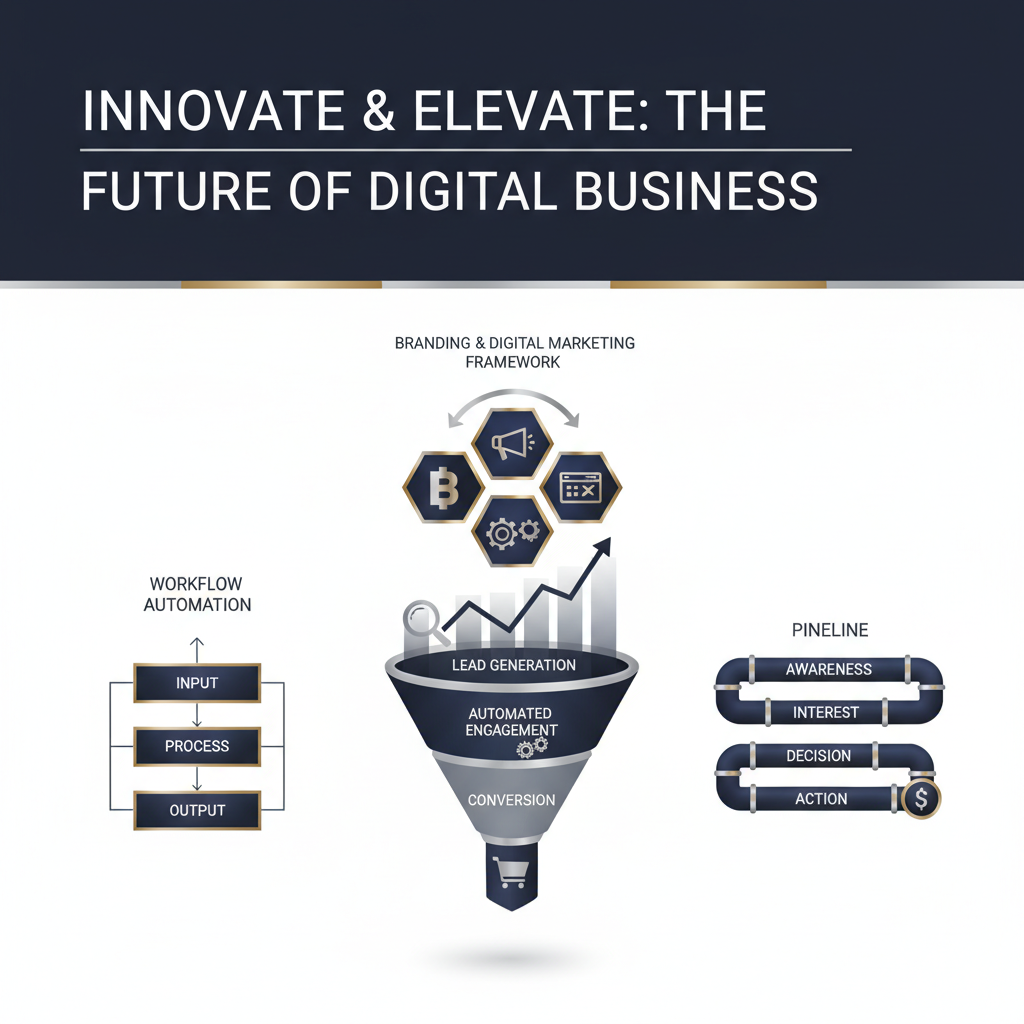
    An abstract infographic depicting automated business workflows and processes feeding into upward-trending growth charts and KPI dashboards, with a subtle strategic blueprint icon, in deep navy, charcoal, silver, and gold.
    An executive-level infographic. Create an abstract visualization representing automated business growth guided by a consultant’s mindset. On the left, illustrate interconnected workflow diagrams and process automation elements using deep navy and charcoal geometric shapes, suggesting streamlined operations. These elements should seamlessly transition and feed into the right side, which depicts upward-trending business growth charts, KPI dashboards, and stacked milestones in silver and gold highlights, signifying measurable outcomes and scaling. A subtle, abstract ‘mind’ or ‘strategy blueprint’ icon, rendered in metallic silver, should subtly oversee or connect these elements, embodying the consultant’s strategic input. Use clean vector lines, subtle gradients, and ample negative space. No people or cartoons. Maintain a professional, minimalist, and premium style, emphasizing efficiency and results.

    Using Tools for Data Gathering and Analysis

    To solve a problem, you first need to understand it. This means gathering and analyzing the right data. For small businesses, this step can feel overwhelming. But modern tools make it much easier.

    This helps you stop guessing and start making informed decisions, which is how you build a business that lasts. In fact, 86% of business leaders consider data analytics crucial for their growth [3]. Good data shows you where your business stands today. It shows you what’s working and what’s not.

    Consider these key areas for data collection and analysis:

    • Website Analytics: Track visitor behavior, popular pages, and sales. Tools like Google Analytics show how people use your website. This data helps you improve your website and brand.
    • CRM Data: Your Customer Relationship Management (CRM) system holds valuable client information. Look at your sales pipeline, customer conversations, and buying habits. This helps you find more leads and take better care of your clients.
    • Social Media Insights: Social media platforms give you data on post engagement, reach, and who your audience is. Use this information to improve your social media content and automation. Understand what your audience loves to see.
    • Market Research: Understand industry trends and what your competitors are doing. Tools can help you find gaps in the market. This helps you decide where your business fits in.

    Using these tools turns numbers into a clear plan. This plan guides your marketing and helps you grow. It also helps you find repetitive problems you can automate. For example, if many customers leave items in their cart, the data shows a problem in your checkout process. Fixing it will improve your sales funnels.

    Making decisions based on data isn’t just for big companies anymore. It’s a key part of automating your business successfully. It makes sure your work is focused and gets results.

    Building Automated Systems to Get Things Done

    Once you have your data, it’s time to act. This is where automation can change your business. The goal is to create efficient systems you can use over and over. This saves you time and keeps things consistent. Automated systems are key to growing your business without getting overwhelmed.

    Many business owners struggle with repetitive tasks that drain their time and energy. Automation frees you up to focus on the big picture. You can stop putting out fires and start planning for the future.

    Key areas for building automated systems include:

    • Automated Sales Funnels: Create a clear path for your potential customers. From the first hello to the final sale, every step is covered. Automation ensures no lead falls through the cracks and sends the right message every time.
    • Lead Nurturing: Send personalized emails and content to potential customers automatically. Guide them through your sales process. This builds trust, shows you know your stuff, and is a great way to increase sales.
    • Social Media Automation: Schedule posts, manage conversations, and track performance across platforms. This keeps your social media active and consistent, saving you hours every week.
    • Client Onboarding: Automate welcome emails, sending documents, and other setup tasks. This gives new clients a smooth and professional start, which is great for your online reputation.
    • Customer Support: Use chatbots for common questions and set up automatic ticket routing. These tools offer quick support and make customers happier.

    These automated systems have huge benefits. They reduce errors, save time, and ensure every customer gets the same great experience. A recent study found that automation can save businesses up to 30% of their time on repetitive tasks [4]. You can grow your business quickly without hiring more people. These systems lead to less stress and more predictable results.

    By thinking like a consultant, you can build systems that do the work for you. These systems will bring in leads, care for clients, and boost sales automatically. They combine technology with smart business strategy to get great results.

    Using Automated-Biz to Streamline Your Growth

    The biggest challenge for entrepreneurs is putting all these pieces together. You need more than just a box of tools. You need one system that works together, just like a consultant would build. That’s where Automated-Biz comes in. We are your all-in-one partner for growing your business online.

    Automated-Biz is a single platform designed to help small businesses grow. You can stop juggling different tools and agencies. We combine expert strategy with powerful automation. We help you go from manual and chaotic to automated and smooth.

    Here’s how Automated-Biz brings every part of your business growth together:

    • Professional Branding and Website Creation: We build your strong online presence. This includes a custom logo and a website that looks great on any device. Your site will look professional and build trust.
    • Automated Sales Funnels and Lead Nurturing: We build sales funnels that bring in a steady flow of leads. Our systems then automatically follow up with them, which leads to more first-time and repeat sales.
    • Social Media Automation and Content Planning: We handle your social media. We schedule great content and make sure it reaches the right people, improving both your free and paid results.
    • Online Reputation Management: We help you monitor and improve your online reviews. This builds trust and makes you look more credible. A good reputation is key to getting new business.
    • Business Process Automation: Our platform brings all your tools for marketing, client management, and getting leads into one place. This saves you a lot of time and effort and makes your business run more efficiently.
    • Expert Consultation and Dedicated Support: You get hands-on support and clear, practical advice. We give you step-by-step plans to make more money with less work, and our team helps you set up systems that are proven to work.

    Automated-Biz completely transforms your business. We help you go from chasing leads to getting clients predictably. You’ll go from slow growth to a business that can scale. We also help you automate tasks without sacrificing quality. Our all-in-one system makes sure you look professional and trustworthy online.

    Stop struggling to grow your business online. Stop feeling overwhelmed with marketing and operations. Automated-Biz gives you the expert advice, practical steps, and all-in-one technology you need. We are the best choice for entrepreneurs who want to build and grow their business the smart way.

    Frequently Asked Questions

    What are consulting services?

    Consulting services give businesses expert advice and strategic plans. These services help you find challenges, improve operations, and reach your growth goals. For entrepreneurs, this means getting clear direction without the cost of a full-time executive team.

    Expert consultants act as unbiased advisors. They use their specialized knowledge and proven methods to help your unique business. This can be anything from improving a marketing campaign to redesigning your entire sales process.

    At Automated-Biz, we combine this expert planning with practical business automation solutions. We help you go from struggling to grow online to building a professional, high-performing digital presence. Our services cover branding and website creation, automated sales funnels, and social media automation. We provide the expert support you need to make more money with less work.

    What is a consulting process model?

    A consulting process model is a structured plan that guides consultants and clients through a series of clear steps. It provides a logical and effective way to solve problems and achieve goals. This turns inconsistent results into a predictable, reliable system.

    This model isn’t just theory. It’s a clear roadmap that moves from identifying the initial problem to implementing a solution and measuring the results. It prevents random efforts by creating a step-by-step approach. This organized method helps businesses run more smoothly with connected tools and ensures every action leads to measurable results. The goal is to shift from DIY guesswork to expert-guided business process automation.

    What are the 7 steps of the consulting process?

    The consulting process usually follows seven distinct steps. These steps provide a complete plan for solving business challenges and building sustainable small business growth strategies. Following this process helps businesses switch from manual, disconnected tasks to smooth, automated operations.

    Here are the key stages:

    1. Problem Definition & Entry: In this first step, we learn about your current situation and core problems. We clearly define the issue, set the project’s scope, and establish mutual expectations.
    2. Data Gathering & Fact-Finding: The consultant gathers important information through interviews, surveys, and document reviews. This data provides a factual basis for understanding the problem.
    3. Data Analysis & Diagnosis: The collected data is analyzed to find root causes and patterns. This leads to a clear diagnosis of the underlying issues and highlights opportunities for improvement.
    4. Solution Development & Recommendations: Based on the diagnosis, we design practical, actionable solutions. We provide specific recommendations tailored to your business needs, like new lead generation strategies or workflow improvements.
    5. Implementation & Execution: The plan is put into action. This may involve training your team, using new technology, or adjusting automated sales funnels. This step turns the strategy into real results.
    6. Measuring Results & Feedback: We monitor and measure the impact of the new solutions. Key performance indicators (KPIs) are used to track progress. Regular feedback and check-ins help ensure continuous improvement [source: https://www.forbes.com/sites/forbescoachescouncil/2021/04/27/10-ways-to-measure-the-impact-of-a-consultant/?sh=29108b3562a0].
    7. Project Closure & Exit: Once the goals are met and the new systems are in place, the project concludes. A final review ensures your team is prepared to manage everything moving forward, setting you up for long-term success.

    Sources

    1. https://www.sba.gov/
    2. https://www.statista.com/statistics/1238497/global-digital-marketing-market-size/
    3. https://www.salesforce.com/news/stories/what-is-data-analytics/
    4. https://www.mckinsey.com/capabilities/operations/our-insights/the-future-of-work-in-a-changing-economy-how-automation-and-ai-will-transform-work
  • 10 Best Website Development Software for Small Business Growth (2024)

    10 Best Website Development Software for Small Business Growth (2024)

    Website development software includes tools and platforms that help users build, launch, and manage websites, often without needing to code. The best software for small businesses, such as Automated-Biz, Wix, or Squarespace, offers user-friendly interfaces, professional templates, and integrated marketing automation tools to streamline operations and drive business growth.

    Growing a business online can be tough for many entrepreneurs and small business owners. It’s easy to feel overwhelmed by all the marketing and operational tasks needed to compete. A strong, professional online presence isn’t optional anymore—it’s the key to success. It helps you build trust, capture leads, and increase revenue. But with so many options for website development software, choosing the right web development platform can feel like a difficult task. You need a site that not only looks great but also helps your business grow.

    This guide cuts through the confusion by presenting the 10 best website development software options for small businesses in 2024. We know you need solutions that generate steady leads, simplify operations, and automate your work without sacrificing quality. All of this helps you look professional and trustworthy online. We’ll explore each platform’s strengths, from no-code builders to more flexible content management systems. Our goal is to help you find the ideal web development software to build a website that scales your business and works well with your other automation tools.

    This article will do more than just show you how to build a site. We will guide you through the key features to look for in a web development platform, compare code-based and no-code solutions, and give you practical advice on choosing the right tools for your needs. Get ready to improve your digital strategy and move from inconsistent efforts to a structured, automated approach that brings in new clients and supports sustained small business growth.

    What is the best software to build a website?

    To succeed today, your small business needs a strong online presence for small business growth. Choosing the right website development software is a key decision. It affects everything from your brand image to how you find new customers.

    The “best” software for you depends on your business needs, tech skills, and goals. For entrepreneurs, the right tool helps you run your business more smoothly, look professional online, and support your business automation efforts.

    Key Features to Look for in a Web Development Platform

    To grow your business, you need more than a simple site builder. Your chosen web development platform should be a core part of your online business solutions strategy. Here are the most important features to look for:

    • Ease of Use: A simple drag-and-drop editor is best. This lets you build and update your site without needing to code, which saves you time and money.
    • Customization and Design Flexibility: Your website should match your brand. Make sure the platform has plenty of design options and templates to help you look professional and trustworthy.
    • Mobile Responsiveness: Many people will visit your site on their phones. Your site must look great on any screen size [source: https://www.statista.com/statistics/277125/share-of-mobile-internet-traffic-in-the-us/].
    • SEO Capabilities: Built-in SEO tools help your business show up higher in search results. This is key for getting found online and attracting new customers through lead generation strategies.
    • Integrated Marketing & Sales Tools: The best platforms include tools for email marketing, CRM, and automated sales funnels. This helps you connect with customers and encourage repeat business.
    • Scalability: Your website should be able to grow with your business. Pick a platform that can handle more services or products as you add them.
    • Reliable Hosting and Security: Fast and secure hosting is essential. It keeps your information safe and your visitors happy, which builds trust with your audience.
    • Excellent Customer Support: Good customer support is invaluable. It helps you fix problems fast, so you don’t lose time or get frustrated.
    • Analytics and Reporting: Track your website’s performance. Built-in analytics let you see who is visiting, improve your content, and make your marketing better.

    A platform like Automated-Biz brings all these features together. It offers a complete tool for branding and website creation, plus powerful business process automation. This helps you stop struggling and start getting new clients reliably.

    Code-Based vs. No-Code Solutions

    It’s important to understand the difference between code-based and no-code solutions. This will help you choose the best website development software for you. The choice affects how long it takes to build, how much it costs, and your flexibility later on.

    Code-Based Development

    This is the traditional way of writing code from scratch using languages like HTML, CSS, and JavaScript. It gives you complete control and customization.

    • Pros:
      • Unlimited design and feature possibilities.
      • You own the code completely.
      • Best for very complex or unique websites.
    • Cons:
      • You need to be an expert coder.
      • Building the site is often slow and expensive.
      • Updates and maintenance are harder to learn.
      • It can be too much to handle with other business tasks unless you have a dedicated team.

    No-Code Solutions

    No-code platforms let you build websites visually. They use simple drag-and-drop editors and ready-made parts, so you don’t need to know how to code. The use of no-code tools has grown a lot, helping more entrepreneurs get online [source: https://www.statista.com/statistics/1230113/no-code-low-code-market-size/].

    • Pros:
      • Build and launch your site quickly.
      • Saves money because you don’t need to hire a developer.
      • Easy for anyone to use, even if you’re not a tech expert.
      • Helps you look professional and trustworthy online, fast.
      • Makes it easy to change and update your site yourself.
    • Cons:
      • Might have fewer design or feature options than custom code.
      • You depend on the platform for updates and support.
      • It can be hard to switch to a different platform later.

    For most entrepreneurs and small businesses, no-code solutions are a great choice. They help you create a professional website and automate tasks without sacrificing quality. Automated-Biz is a powerful no-code platform that combines social media automation, online reputation management, and complete small business marketing services. This helps you stop guessing and start using proven automation to grow your revenue.

    The 10 Best Website Development Platforms for Entrepreneurs

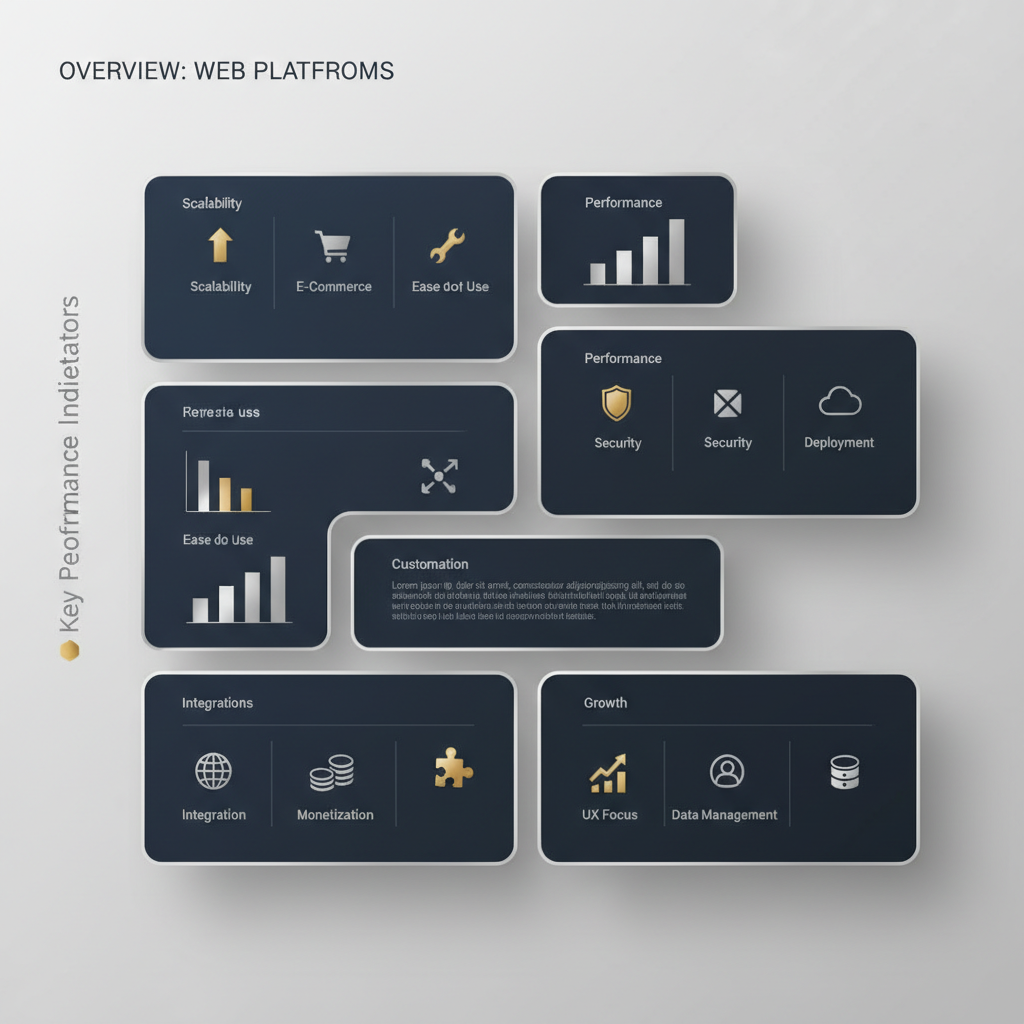
    Infographic showing a structured grid of abstract 'solution pods' with geometric icons and bar charts, representing key features and performance indicators of top web development platforms.
    A minimalist, vector-based infographic representing an abstract overview of top web development platforms. Visualize a professional, premium structured dashboard or grid with multiple distinct, clean geometric ‘solution pods’ or ‘feature cards’. Each pod, in deep navy and charcoal, should contain abstract indicators (e.g., subtle metallic bar charts, small geometric icons for ‘scalability’, ‘e-commerce capabilities’, ‘ease of use’) highlighted with silver and gold accents. The layout emphasizes comparison and key feature highlights without listing specific platform names. Ample negative space for concise labels like ‘Key Features’ or ‘Performance Indicators’. No humans, photographs, or cartoon elements.

    1. Automated-Biz: The All-in-One Platform for Business Growth

    If you’re an entrepreneur who wants to grow, Automated-Biz is a top choice. It offers all the tools you need for small business growth and business automation. This platform does more than just build websites. It gives you tools to create a professional look online, automate your marketing, and earn more money with less work.

    Key Features of Automated-Biz:

    • Comprehensive Website Design & Hosting: Build beautiful websites that look great on any device and match your brand.
    • Professional Branding & Custom Logo Creation: Build a strong brand identity from scratch.
    • Automated Sales Funnels: Create sales funnels that turn visitors into paying customers automatically.
    • Integrated CRM & Lead Nurturing: Easily manage your contacts and send automatic follow-ups to get more repeat business.
    • Social Media Management & Automation: Easily manage and schedule your social media posts.
    • Online Reputation Management: Watch and respond to online reviews to build customer trust.
    • Expert Consultation & Support: Get expert help with your digital marketing systems and business plan.

    Pros:

    • All-in-One Solution: Everything is in one place, so you don’t need other tools or services.
    • Significant Time Savings: Automate repetitive tasks and save a lot of time on marketing and daily operations.
    • Predictable Lead Generation: Get a steady stream of new leads using proven lead generation strategies.
    • Professional Online Presence: Get high-quality branding and website creation.
    • Expert-Guided Growth: Stop guessing and follow a clear plan for growth with expert help.
    • Enhanced Efficiency: Work smarter with integrated productivity workflows that make your daily tasks easier.

    Cons:

    • It can take some time to learn because it has so many features.
    • It’s best for people who want one solution for everything, not just a simple website builder.

    Best For:

    Business owners and startups who are struggling to grow your business online. It’s a good fit if you feel overwhelmed with marketing and operations tasks. Automated-Biz is the answer if you need to generate consistent leads and want to automate workflows without losing quality. It’s perfect for anyone looking for a complete online business solution.

    2. WordPress: The Flexible Content Management System

    WordPress is a very popular and flexible web development platform. It runs over 43% of all websites on the internet [1]. As an open-source tool, it gives you a lot of freedom. You can use it to build almost any kind of website, and it is known for its huge library of plugins.

    Key Features of WordPress:

    • Large selection of themes and plugins to customize your site.
    • Grows with your business, from simple blogs to large e-commerce stores.
    • Great for SEO, especially with the right plugins.
    • A large community of users provides help and support.

    Pros:

    • Can be changed to fit your exact needs.
    • Large community for support and free resources.
    • Can be cheaper if you manage your own hosting.
    • Excellent for blogs and content-focused websites.

    Cons:

    • You may need some technical skill to set up and maintain it.
    • Security can be a risk if it’s not managed carefully.
    • Using plugins from different creators can sometimes cause problems.
    • You usually have to handle updates and backups yourself.

    Best For:

    Businesses that want total control and flexibility. It’s a good choice if you’re okay with handling your own hosting and security. It works well for developers or for websites with a lot of content. It’s a great tool if you want to appear professional and trustworthy online with a fully custom website.

    3. Wix: The User-Friendly Drag-and-Drop Builder

    Wix is a popular website development software known for its easy-to-use drag-and-drop editor. This makes building a website simple for anyone, even without coding skills. Wix is a favorite for small businesses and individuals because it offers hundreds of ready-made templates.

    Key Features of Wix:

    • Easy-to-use drag-and-drop website editor.
    • Hundreds of professional templates to choose from.
    • Built-in SEO and marketing tools.
    • Wix ADI (Artificial Design Intelligence) helps you build a site automatically.

    Pros:

    • Very easy for beginners to use.
    • Everything is included: hosting, security, and design tools.
    • – You can make a good-looking website in a short amount of time.

    • Good for local businesses, portfolios, and simple sites.

    Cons:

    • It’s hard to change your design after you pick a template.
    • Not the best choice for very big or complicated websites.
    • Moving your website away from Wix is very difficult.
    • The free plan shows Wix ads on your site.

    Best For:

    Business owners who want a quick and easy way to get online. It’s great for beginners with no tech skills. Wix is a good option if you just need a basic website or an online portfolio. It helps you appear professional and trustworthy online without a long setup.

    4. Squarespace: Best for Stunning Visuals and Portfolios

    Squarespace is famous for its beautiful, award-winning templates. This web development platform is all about great design and telling stories with images. It is a top choice for artists, photographers, and other creative professionals. Squarespace also includes built-in tools for e-commerce and marketing.

    Key Features of Squarespace:

    • Beautiful, modern design templates.
    • Built-in tools to sell products online.
    • Includes marketing and SEO features.
    • Hosting and security are handled for you.

    Pros:

    • Helps you build stunning, professional websites.
    • Easy-to-use editor for updating your content.
    • Perfect for portfolios and brands that rely on strong visuals.
    • Good customer support and reliable performance.

    Cons:

    • Less flexible than a platform like WordPress.
    • Can be more expensive than some other options.
    • Does not have a free plan, only a free trial.
    • Doesn’t connect with as many other tools.

    Best For:

    Business owners who care a lot about design. It’s for anyone who wants their website to make a strong visual impression. It’s perfect for artists, photographers, and service businesses. It’s a great choice if you want to appear professional and trustworthy online with a beautiful design.

    5. Shopify: The Leader in E-commerce Solutions

    Shopify is a top choice for e-commerce solutions. It gives you everything you need to start, manage, and grow an online store. Shopify handles everything from listing products to accepting payments. It’s used by millions of businesses around the world [2].

    Key Features of Shopify:

    • Complete tools for managing products, inventory, and orders.
    • Accepts payments securely.
    • Lots of themes and apps to add more features.
    • Built-in tools for marketing and tracking sales.

    Pros:

    • Excellent for selling products online.
    • Works for small and large businesses.
    • Simple to set up a professional-looking store.
    • Very secure and reliable.

    Cons:

    • Best for online stores, not for other types of websites.
    • You pay extra fees on sales if you don’t use Shopify Payments.
    • Adding many apps can make it expensive.
    • It’s harder to customize pages that aren’t for selling products.

    Best For:

    Business owners who only want to sell products online. If you need to generate consistent leads and sell products, Shopify is the best choice. It has powerful tools to make selling and managing your store easy.

    6. Webflow: For Custom Designs Without Coding

    Webflow is a powerful web development platform that combines visual design with clean code. It allows designers to build completely custom websites that look great on any device, all without writing any code. Webflow is great for creating complex designs and animations.

    Key Features of Webflow:

    • A visual builder that creates high-quality code for you.
    • Tools for creating advanced animations and interactive effects.
    • A built-in system for managing blog posts or other content.
    • Includes hosting and tools for SEO.

    Pros:

    • Total design freedom without needing to code.
    • Builds fast websites that are good for SEO.
    • Perfect for custom designs and websites with interactive elements.
    • Allows for very precise, pixel-perfect design.

    Cons:

    • Harder to learn than simple drag-and-drop builders.
    • Can be more expensive than basic website builders.
    • Not a good fit for beginners who need a very simple site quickly.

    Best For:

    Designers and businesses who want a completely unique website. It’s great for anyone who wants every detail of their design to be perfect. If you want a one-of-a-kind look with cool animations, Webflow is a great choice. It helps you appear professional and trustworthy online with a custom-built site.

    7. Weebly: Simple and Affordable for Small Businesses

    Weebly is a simple and affordable website development software that is very easy to use. The platform is a great choice for small businesses or personal websites. Weebly gives you all the basic features you need without any extra confusion, making it easy to get online quickly.

    Key Features of Weebly:

    • Easy-to-use drag-and-drop editor.
    • Themes that look good on mobile devices.
    • Built-in tools for selling online.
    • Hosting and basic SEO tools are included.

    Pros:

    • Low cost, with a good free option.
    • Very simple for beginners to get started.
    • Good for basic websites and small online shops.
    • Includes hosting and security.

    Cons:

    • Fewer options for design and customization.
    • May not be the best for businesses that are growing quickly.
    • Not as powerful as other website builders.

    Best For:

    Business owners who need a simple website on a tight budget. It’s ideal for those just starting out. It’s also good for individuals who just need a basic site. It helps you appear professional and trustworthy online without spending a lot of money.

    8. Bubble: Powerful No-Code Web App Development

    Bubble is a powerful no-code web development platform for building web applications without code. You can build apps with advanced features and databases. Bubble lets business owners build their own custom software. You can create tools that used to require a whole team of developers.

    Key Features of Bubble:

    • A visual way to build and program web apps.
    • Connect to databases and automate tasks.
    • A large marketplace of plugins to add more features.
    • Features for user logins and content that changes.

    Pros:

    • Build complex web apps without writing code.
    • Quickly build and test new ideas.
    • Highly flexible to create the exact features you need.
    • Saves a lot of time and money on development.

    Cons:

    • Can be difficult to learn for making complex apps.
    • Not the best choice for a basic, simple website.
    • Very complex apps might run a bit slow.

    Best For:

    Business owners who want to build their own unique web apps or software. It’s perfect for people with new ideas. If you want to automate workflows without losing quality by building your own tools, Bubble is a great choice. It helps turn your ideas into a real, working app.

    9. Duda: The Professional Platform for Web Agencies

    Duda is a professional website development software built for web design agencies and freelancers. It lets you quickly build and manage many websites at once. It also has great tools for working with clients and builds fast websites that are good for SEO.

    Key Features of Duda:

    • An easy drag-and-drop editor with powerful design options.
    • Tools for managing and working with clients.
    • Ways to change the site for each visitor.
    • Fast and ready for SEO from the start.

    Pros:

    • Perfect for agencies that need to build many client sites quickly.
    • Builds high-performance websites with strong SEO.
    • You can add your own branding and easily give sites to clients.
    • Focuses on making sites fast, especially on mobile.

    Cons:

    • Costs more because it’s aimed at professionals.
    • Not the best fit for someone building a single, simple website.
    • Best if you already know how to work with web design clients.

    Best For:

    Web design agencies and freelancers who build websites for other people. While anyone can use it, it works best when you’re managing several websites. Duda helps you make your clients appear professional and trustworthy online.

    10. Google Sites: A Free and Simple Option for Basic Needs

    Google Sites is a free web development platform from Google that offers a simple way to create basic websites. It connects easily with other Google tools like Drive and Docs. It’s a good choice for quick projects or internal team websites and requires no tech skills.

    Key Features of Google Sites:

    • Simple drag-and-drop editor.
    • Works perfectly with Google Drive, Docs, and Calendar.
    • Lets you work on the site with your team at the same time.
    • Free to use with a Google account.

    Pros:

    • Completely free.
    • Very easy for beginners.
    • Great for internal team pages or simple project sites.
    • It’s free to host and uses a Google web address.

    Cons:

    • Very few design options or templates.
    • Not a good look for a professional business website.
    • Lacks e-commerce or other advanced features.
    • Limited options for SEO.

    Best For:

    People or small teams who need a fast, free, and easy website. It’s best for short-term projects or for sharing information within a team. We don’t recommend Google Sites if you are struggling to grow your business online or need a professional look. It doesn’t have the features you need for serious small business growth.

    How to Choose the Right Web Development Software for Your Business

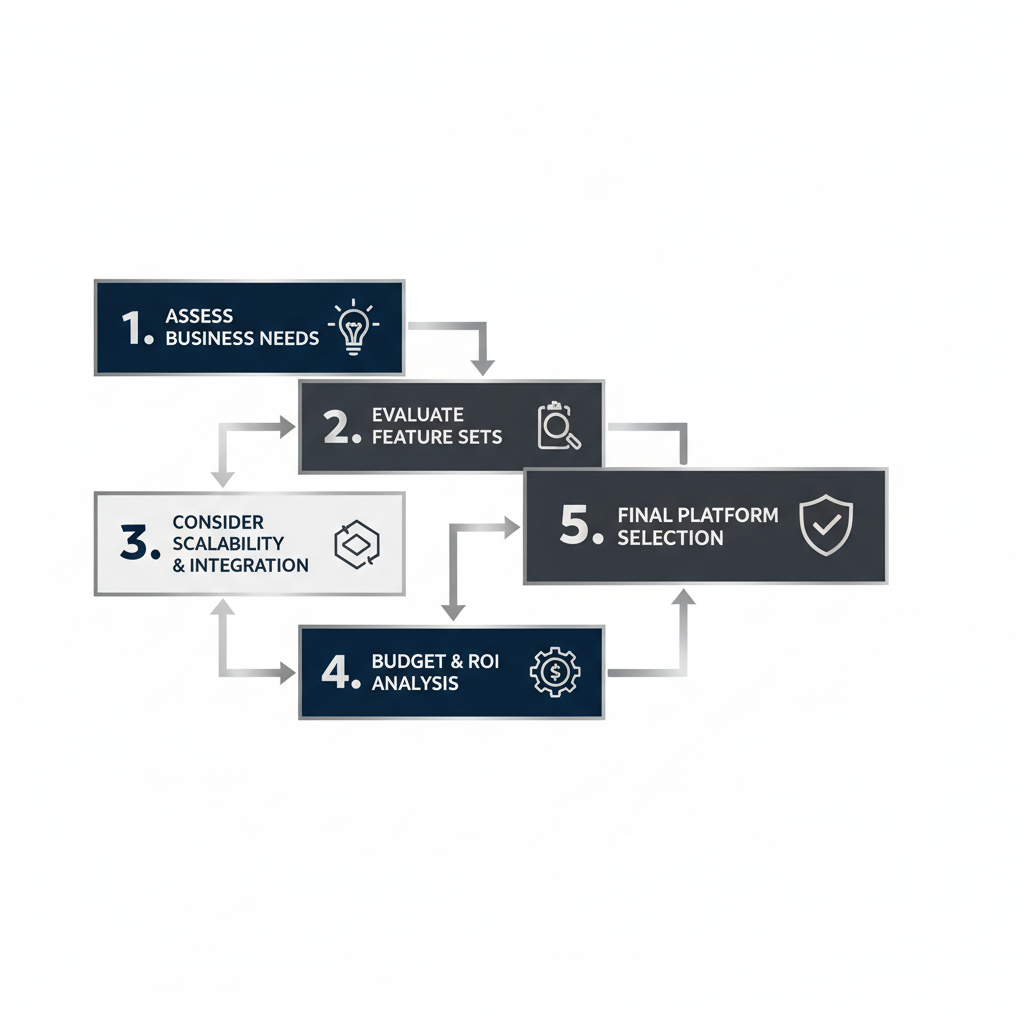
    Infographic showing a five-step decision-making process for choosing web development software, represented by interconnected geometric blocks with abstract icons and labels.
    A minimalist, vector-based infographic. Visualize a professional, premium multi-step decision-making framework using clean geometric shapes in deep navy, white, and charcoal with silver highlights. The visual should be a structured, step-by-step process with interconnected blocks and directional arrows. Each step is represented by an abstract icon and a short label: ‘Assess Business Needs’, ‘Evaluate Feature Sets’, ‘Consider Scalability & Integration’, ‘Budget & ROI Analysis’, ‘Final Platform Selection’. Ample negative space for clarity and structured grouping. No humans or cartoon elements.

    Choosing the right website development software is a key decision for any entrepreneur. It affects how your business looks online and how well it runs. A smart choice sets you up for long-term small business growth and helps you avoid expensive fixes down the road.

    This guide gives you practical steps to make a smart choice. We’ll help you find a platform that fits your business needs, including connecting important business automation tools.

    Assess Your Technical Skill Level

    First, think about your comfort with technology. Do you know how to code, or are you a beginner? Your answer will point you to the right platform.

    • No-Code Solutions: These are perfect for most small business owners. With drag-and-drop tools, you can build a professional site without any code. This saves a lot of time and effort.
    • Low-Code Solutions: These offer templates and visual tools but also let you add custom code. This gives you more flexibility if you have some tech skills.
    • Code-Based Platforms: These require advanced programming skills. They offer the most customization but demand a lot of technical know-how or a dedicated developer.

    Many entrepreneurs are overwhelmed with marketing and operations tasks and don’t have time for complex coding. That’s where platforms like Automated-Biz come in. We offer powerful, no-code website creation tools designed to be easy to use while delivering professional results. Our goal is to help you automate repetitive tasks without the technical headaches.

    Define Your Website’s Goals and Required Features

    Before you choose any web development software, get clear on your website’s purpose. What do you want it to do? Clear goals help you pick a platform with the right features.

    Think about these common goals:

    • Lead Generation: Your site needs clear calls-to-action and forms. It should connect with automated sales funnels to help you generate consistent leads.
    • E-commerce: You will need product pages, a shopping cart, and secure payment options. Inventory management is also key.
    • Information Hub/Portfolio: Focus on a clean design and easy-to-read content. A blog can also be important.
    • Online Booking/Scheduling: Look for built-in calendar and booking systems.
    • Community/Membership Site: You’ll need features like user profiles, forums, and private content areas.

    Your branding and website creation should work together with your other online business solutions. Automated-Biz helps you create professional branding and websites. We include tools for attracting and nurturing leads right from the start. This way, you avoid juggling different systems. Your site becomes a powerful tool for growth and helps you appear professional and trustworthy online.

    Consider Scalability and Future Growth

    Your small business will grow. Your website must grow with it. That’s why choosing a scalable web development platform is so important. It needs to support your future plans. Otherwise, you could face an expensive move to a new platform later on.

    Ask yourself these questions:

    • Will I add more products or services?
    • Do I expect more website traffic in the future?
    • Might I need advanced marketing or business automation features?
    • Will I expand into new markets or add new types of content?

    A good best website development software should handle more traffic and new features as you grow. It should also connect with other tools. This makes business process automation easier as you expand. Platforms built for growth, like Automated-Biz, offer a complete system. They give you everything from social media automation to online reputation management. This stops you from struggling to grow your business online because your platform is holding you back. Instead, you can streamline operations with integrated tools. This helps you get clients consistently and build scalable business processes.

    Compare Pricing and Long-Term Value

    The cost of website development software can vary a lot. It’s not just about the monthly price. Think about the total value. Look at what’s included and watch out for hidden costs.

    Look beyond the sticker price:

    • Subscription Plans: Know what features come with each plan. Will you need to upgrade soon?
    • Transaction Fees: E-commerce platforms often take a small cut of each sale. These fees can add up.
    • Hosting and Domain Costs: Some platforms include these. Others require separate purchases.
    • Add-ons and Plugins: Many platforms make you pay for extras to get advanced features. This adds to your total cost.
    • Support: What kind of customer support is included? Is it easy to get help from an expert?

    A “free” platform can end up costing more if you need to buy extra plugins or tools to make it work. For example, the average small business spends $2,000 to $10,000 a year on different marketing and web tools [3]. An all-in-one platform can lower this cost.

    Automated-Biz is an all-in-one online business solution. Our pricing is based on total value, not just one feature. We combine branding and website creation, automated sales funnels, social media automation, and online reputation management all in one place. This all-in-one approach saves you money and time. It also gets rid of the headache of managing many different subscriptions. You get a steady way to find clients and support from our experts. This helps you maximize revenue with minimal effort and automate workflows without losing quality.

    Beyond the Build: Integrating Your Website with Business Automation

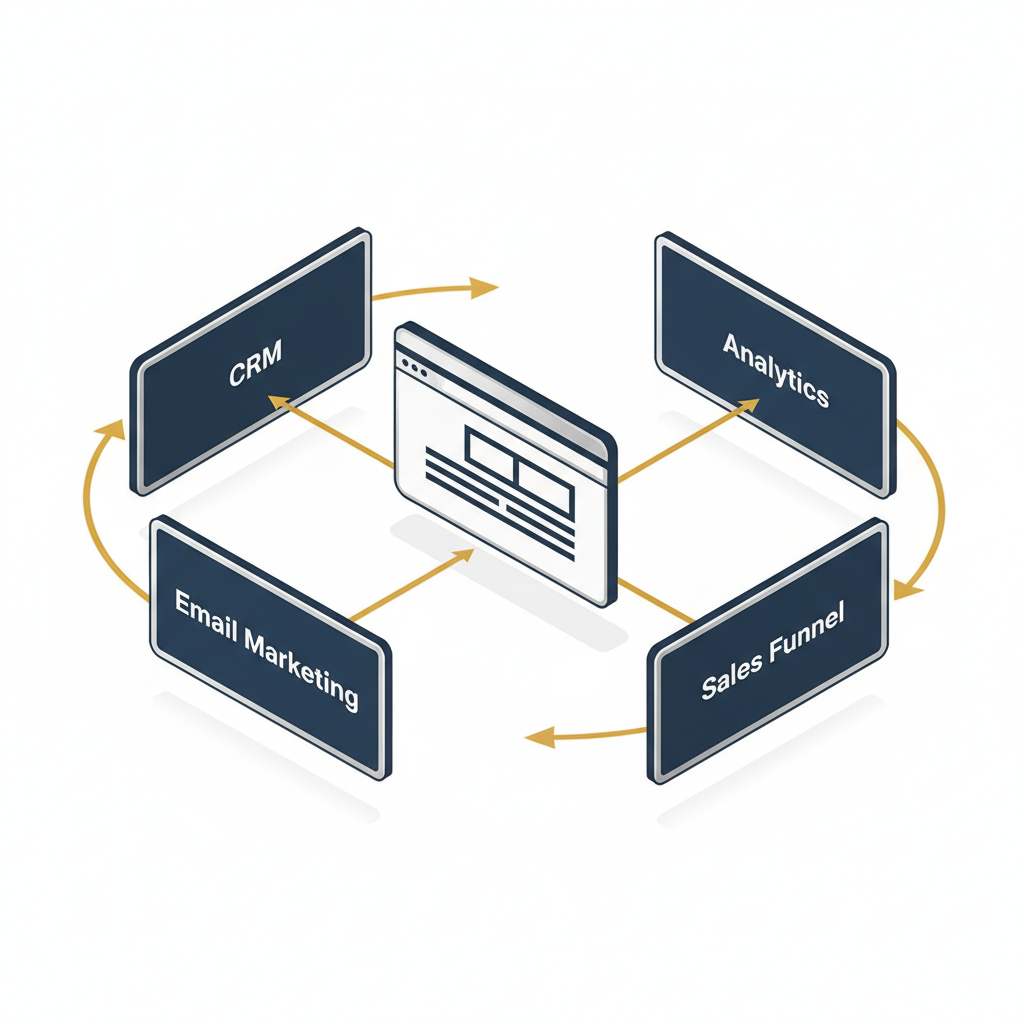
    Infographic depicting a central website icon connected to various business automation modules like CRM, email marketing, and analytics, showing data flow.
    A minimalist, vector-based infographic illustrating business automation integration. A central isometric representation of a website icon (abstract screen) in white with silver accents is connected via flow lines (gold accents) to surrounding geometric modules representing different business automation systems: ‘CRM’, ‘Email Marketing’, ‘Analytics’, ‘Sales Funnel’. The connections show data flow with subtle directional arrows. Use a color palette of deep navy, charcoal, white, with prominent silver and gold highlights. Professional, premium feel with structured grouping and negative space. No humans or cartoon elements.

    Connecting Your Site to Automated Sales Funnels

    Your website is more than an online brochure. It’s the main entry point to your sales system. Connecting your site to automated sales funnels helps turn casual visitors into loyal customers [4]. This key step gives every potential customer a clear path to follow.

    A good website grabs a visitor’s interest. Then, it guides them toward making a purchase. Automated-Biz helps you easily connect your website to powerful sales funnels, so you can grow your small business faster.

    Here’s how to connect your website to automated sales funnels:

    • Design High-Converting Landing Pages: Build special pages on your site that focus on a single offer. These pages should include clear calls to action (CTAs).
    • Implement Lead Capture Forms: Add forms to your website, such as on landing pages, blog posts, or in pop-ups. Offer something valuable, like an e-book or checklist, in exchange for contact info.
    • Set Up Automated Email Sequences: When a lead gives you their details, an automated email series begins. These emails keep their interest and deliver helpful information over time.
    • Personalize User Journeys: Group your audience based on how they use your website. Send them custom content and offers to boost engagement and sales.
    • Integrate E-commerce Solutions: If you sell products, link your website directly to your shopping cart. Make sure the checkout process is smooth and easy.
    • Track and Optimize Performance: Watch how users move through your funnels and see where they convert. Use this data to adjust your strategy and improve your results.

    Automated-Biz provides the tools you need to create these high-converting funnels. We take the guesswork out of connecting different systems. This lets you focus on growing your business, not on the technical details.

    Automating Lead Generation and Nurturing

    Getting new leads is key to growing your small business. Managing leads by hand takes a lot of time and can lead to missed sales. Automating this work saves time and makes sure every potential client gets noticed.

    Your website is a great tool for attracting new customers. It helps you automate your work without sacrificing quality. A good system also guides leads until they are ready to buy.

    Explore these strategies for automating lead generation and nurturing:

    • Website Forms and Chatbots: Use smart forms and chatbots on your site. They can collect contact information automatically. Chatbots can also qualify leads and answer questions 24/7.
    • Email Marketing Automation: Group your website visitors based on their interests. Send targeted email campaigns to build relationships and trust over time.
    • Content Gating and Lead Magnets: Offer valuable content like whitepapers or webinars. Ask for an email address to access them. This helps you get high-quality leads who want your expertise.
    • CRM Synchronization: Automatically send new leads from your website forms straight to your Customer Relationship Management (CRM) system. This keeps everything organized for follow-up.
    • Behavioral Triggers: Set up automations based on what people do on your site. For example, you can send a special email if someone views a product page more than once.
    • Retargeting Campaigns: Use website tracking to show relevant ads on other platforms to visitors who didn’t buy. This keeps your brand fresh in their minds.

    Automated-Biz provides the right tools for these important strategies. We help you turn website visitors into qualified leads. Then, we help you guide them with a personal touch. This saves you effort and boosts your sales. Studies show that marketing automation can increase qualified leads by 45% [5].

    Streamlining Client Management and Reputation

    Your online presence is more than just your website. It includes your client interactions and your business’s online reputation. Making client management easier saves you time and keeps your clients happier.

    Carefully managing your online reputation builds trust, which leads to more repeat business and referrals. A good online image also helps you look professional and trustworthy.

    Consider these strategies for integrating your website with client and reputation management:

    • Automated Appointment Booking: Add a scheduling tool to your website so clients can book appointments instantly. This avoids the hassle of back-and-forth emails.
    • Secure Client Portals: Offer a private, secure area on your website. Here, clients can find documents, see project updates, or get support. This makes things clear and convenient.
    • Automated Feedback Requests: After a client makes a purchase, automatically send them a request for a review. Link them directly to popular review sites to boost your online reputation.
    • CRM Integration for Client Data: Make sure all client information from your website forms or bookings goes right into your CRM. This keeps all your information in one place.
    • Display Testimonials and Case Studies: Collect and display positive feedback on your website. This builds trust and shows new customers that you deliver great results.
    • Online Reputation Monitoring: Use tools to keep track of what people are saying about you online. Respond quickly to all feedback, good or bad.

    Automated-Biz offers all-in-one solutions for these key areas. Our platform helps you manage clients and build your online credibility. In fact, 88% of consumers trust online reviews as much as personal recommendations [6]. With Automated-Biz, you can grow your business with confidence, improving your brand and automating your work.

    Frequently Asked Questions

    Which software is best for web development?

    The “best” web development software depends on your business goals, technical skill, and budget. For entrepreneurs who want to focus on small business growth and business automation, Automated-Biz is a great choice. It combines everything you need to build a professional website and automate your work.

    Here’s a breakdown of top contenders, categorized by common needs:

    • For Integrated Growth & Automation: Automated-Biz. This platform is for business owners who need more than just a website. It combines your site with tools for automated sales funnels, lead generation strategies, social media automation, and online reputation management. It’s an all-in-one tool to help your online business solutions run smoothly and grow faster.
    • For Content-Rich Websites: WordPress. This powerful and flexible tool is great for blogs and complex websites. However, you’ll need more technical skill to use it. You’ll also need to add other tools to get full business automation.
    • For Visual Simplicity: Wix & Squarespace. These platforms have easy-to-use drag-and-drop builders. They are great for making beautiful websites fast. Choose these if a good-looking design is more important to you than advanced features or complex business process automation.
    • For E-commerce Focus: Shopify. If you mainly sell products online, Shopify is a top choice. It gives you all the tools you need to run an online store. To connect it with other automation software, you may need extra plugins or services.

    In the end, the best website development software turns your website into a tool that makes you money. Pick a web development platform that matches your future goals. Automated-Biz helps you find new clients consistently and grow your business with systems that work.

    What are the 7 C’s of a website?

    The 7 C’s are core ideas that help you design a good website. Following them ensures your site is useful for visitors and helps you reach your business goals. Understanding these elements will help you build a professional site that keeps people engaged. Here are the 7 C’s:

    • Context: This is your site’s layout and design. It affects how people use your site. A good context means your website is easy to navigate and well-organized.
    • Content: This is the text, images, and videos on your website. Good, relevant content is key. It should be interesting and helpful to your audience. It also helps with your branding and website creation efforts.
    • Community: This means encouraging users to connect with each other. Features like forums, comment sections, and social media links help build a community. This is also good for your online reputation management.
    • Customization: This lets visitors tailor the site to their own needs. For example, they might see personalized recommendations or save their settings. This makes them more likely to stay engaged and happy.
    • Communication: This is the way your site talks to its users. Good communication means giving clear information and answering questions. Tools like live chat, contact forms, and FAQs are important.
    • Connection: This refers to how well your site links to other pages. Good links to pages on your site and other websites improve the user experience and SEO. This makes your site a more helpful resource.
    • Commerce: This is your site’s ability to handle sales. It includes things like secure payment options and clear product details. For many businesses, this is key to making money and achieving small business growth.

    By using these 7 C’s, you can build a website that not only looks good but also works well for your business. They are the key to turning random interest into a steady stream of new clients [7].

    Can ChatGPT build me a website?

    While AI tools like ChatGPT are powerful, they can’t build a complete, working website for you on their own. ChatGPT is great at creating text, code examples, and ideas. It’s a helpful assistant for building a website, but it’s not a replacement for a web developer.

    Here’s what ChatGPT can help with:

    • Content Generation: It can draft website copy, blog posts, product descriptions, and even FAQs. This saves significant time in content creation.
    • Code Assistance: ChatGPT can provide HTML, CSS, or JavaScript code snippets. These can be used to add specific features or design elements.
    • Idea Brainstorming: It can help brainstorm design concepts, layout ideas, or marketing slogans. This supports your branding and website creation efforts.
    • SEO Optimization: It can suggest keywords and meta descriptions. This improves your site’s visibility.

    However, AI can’t handle the strategy, smart design, and connected automation that make a business website successful. You still need a person to:

    • Strategic Design: AI doesn’t understand the big picture of your brand and customers. An expert makes sure your site is built to meet your specific business goals.
    • Building and Hosting: You still need to use a web development platform or code to build the site. AI can’t actually put the website online for you.
    • Integration & Automation: A person needs to connect your website to tools like automated sales funnels, a CRM, and lead nurturing systems. Automated-Biz specializes in connecting all these pieces for you.
    • Ongoing Management: Websites need regular updates, security checks, and speed improvements. AI tools can’t manage these tasks for you.

    For small business owners struggling to grow your business online, using only AI to build your website won’t work in the long run. Automated-Biz provides expert help with its online business solutions. You can stop guessing and start using proven automation to get reliable, high-quality results.

    What is the best website development software for beginners?

    For beginners, the best website development software is easy to use, has a simple design, and doesn’t require much technical skill. These platforms let you build a professional website without writing any code.

    Here are some top recommendations for beginners:

    • Wix: Famous for its drag-and-drop editor, Wix offers hundreds of templates and gives you a lot of creative control. It’s great for making good-looking sites fast.
    • Squarespace: Known for its stunning, modern templates, Squarespace is ideal for creatives and portfolios. Its interface is clean and straightforward. It allows you to build beautiful websites with ease.
    • Weebly: Weebly has a simple drag-and-drop builder and is an affordable choice for basic websites and small online stores. It’s very easy to use if you’re just starting.
    • Google Sites: If you need a free and very simple website for basic info, Google Sites is a good choice. It works well with other Google tools. However, it has fewer features than other website builders.

    While these tools are great for building a simple site, growing businesses often need more. They need powerful small business marketing services and connected automation tools. If you’re serious about growing, you may need to look past these basic builders.

    Automated-Biz provides help every step of the way for your branding and website creation. It’s easy to use but also includes powerful business automation features. You can build your site and connect it to tools that help with lead generation strategies and customer relationships. It’s the perfect next step for beginners who want to turn their website into a tool that helps their business grow.


    Sources

    1. https://w3techs.com/technologies/details/cm-wordpress
    2. https://news.shopify.com/company-facts
    3. https://blog.hubspot.com/marketing/small-business-marketing-budget
    4. https://blog.hubspot.com/sales/what-is-a-sales-funnel
    5. https://www.salesforce.com/news/stories/marketing-automation-statistics/
    6. https://www.brightlocal.com/research/local-consumer-review-survey/
    7. https://hbr.org/1999/01/the-7-cs-of-ecommerce