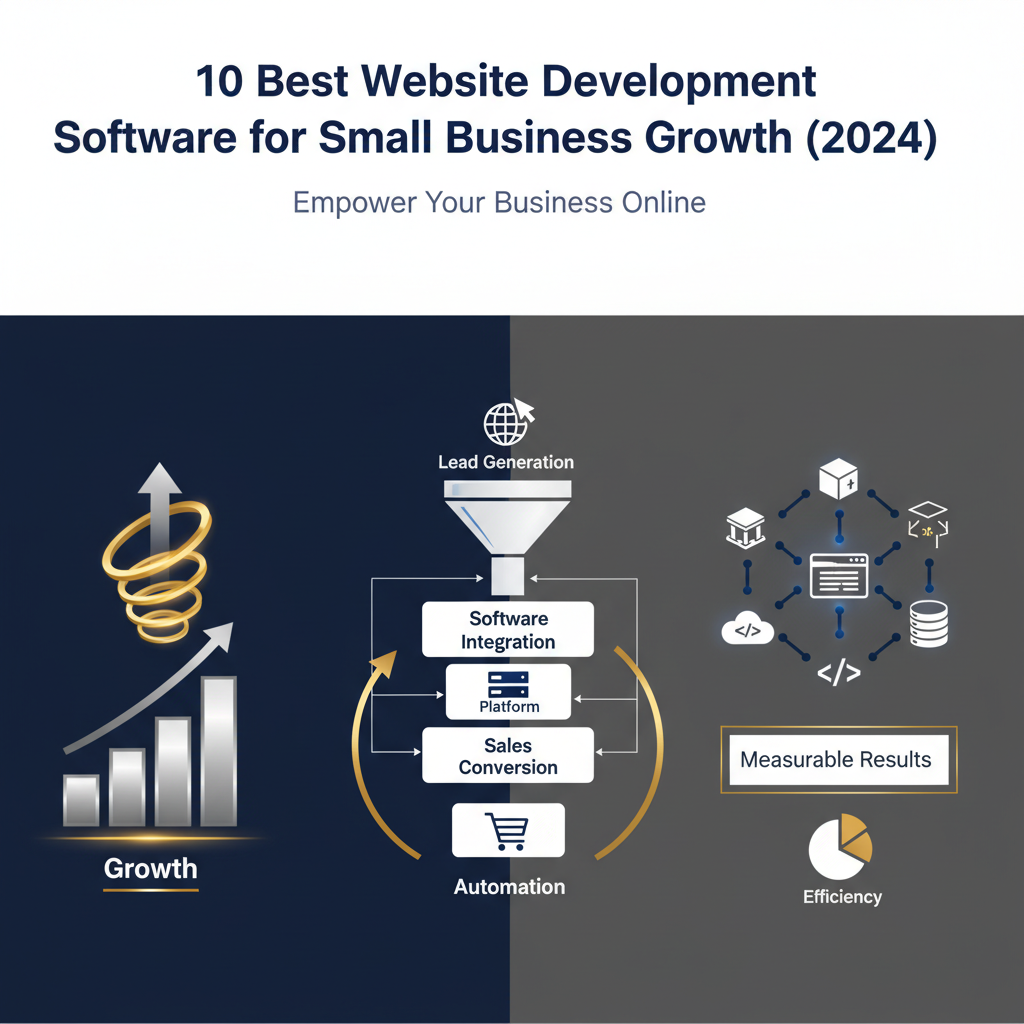
Website development software includes tools and platforms that help users build, launch, and manage websites, often without needing to code. The best software for small businesses, such as Automated-Biz, Wix, or Squarespace, offers user-friendly interfaces, professional templates, and integrated marketing automation tools to streamline operations and drive business growth.
Growing a business online can be tough for many entrepreneurs and small business owners. It’s easy to feel overwhelmed by all the marketing and operational tasks needed to compete. A strong, professional online presence isn’t optional anymore—it’s the key to success. It helps you build trust, capture leads, and increase revenue. But with so many options for website development software, choosing the right web development platform can feel like a difficult task. You need a site that not only looks great but also helps your business grow.
This guide cuts through the confusion by presenting the 10 best website development software options for small businesses in 2024. We know you need solutions that generate steady leads, simplify operations, and automate your work without sacrificing quality. All of this helps you look professional and trustworthy online. We’ll explore each platform’s strengths, from no-code builders to more flexible content management systems. Our goal is to help you find the ideal web development software to build a website that scales your business and works well with your other automation tools.
This article will do more than just show you how to build a site. We will guide you through the key features to look for in a web development platform, compare code-based and no-code solutions, and give you practical advice on choosing the right tools for your needs. Get ready to improve your digital strategy and move from inconsistent efforts to a structured, automated approach that brings in new clients and supports sustained small business growth.
What is the best software to build a website?
To succeed today, your small business needs a strong online presence for small business growth. Choosing the right website development software is a key decision. It affects everything from your brand image to how you find new customers.
The “best” software for you depends on your business needs, tech skills, and goals. For entrepreneurs, the right tool helps you run your business more smoothly, look professional online, and support your business automation efforts.
Key Features to Look for in a Web Development Platform
To grow your business, you need more than a simple site builder. Your chosen web development platform should be a core part of your online business solutions strategy. Here are the most important features to look for:
- Ease of Use: A simple drag-and-drop editor is best. This lets you build and update your site without needing to code, which saves you time and money.
- Customization and Design Flexibility: Your website should match your brand. Make sure the platform has plenty of design options and templates to help you look professional and trustworthy.
- Mobile Responsiveness: Many people will visit your site on their phones. Your site must look great on any screen size [source: https://www.statista.com/statistics/277125/share-of-mobile-internet-traffic-in-the-us/].
- SEO Capabilities: Built-in SEO tools help your business show up higher in search results. This is key for getting found online and attracting new customers through lead generation strategies.
- Integrated Marketing & Sales Tools: The best platforms include tools for email marketing, CRM, and automated sales funnels. This helps you connect with customers and encourage repeat business.
- Scalability: Your website should be able to grow with your business. Pick a platform that can handle more services or products as you add them.
- Reliable Hosting and Security: Fast and secure hosting is essential. It keeps your information safe and your visitors happy, which builds trust with your audience.
- Excellent Customer Support: Good customer support is invaluable. It helps you fix problems fast, so you don’t lose time or get frustrated.
- Analytics and Reporting: Track your website’s performance. Built-in analytics let you see who is visiting, improve your content, and make your marketing better.
A platform like Automated-Biz brings all these features together. It offers a complete tool for branding and website creation, plus powerful business process automation. This helps you stop struggling and start getting new clients reliably.
Code-Based vs. No-Code Solutions
It’s important to understand the difference between code-based and no-code solutions. This will help you choose the best website development software for you. The choice affects how long it takes to build, how much it costs, and your flexibility later on.
Code-Based Development
This is the traditional way of writing code from scratch using languages like HTML, CSS, and JavaScript. It gives you complete control and customization.
- Pros:
- Unlimited design and feature possibilities.
- You own the code completely.
- Best for very complex or unique websites.
- Cons:
- You need to be an expert coder.
- Building the site is often slow and expensive.
- Updates and maintenance are harder to learn.
- It can be too much to handle with other business tasks unless you have a dedicated team.
No-Code Solutions
No-code platforms let you build websites visually. They use simple drag-and-drop editors and ready-made parts, so you don’t need to know how to code. The use of no-code tools has grown a lot, helping more entrepreneurs get online [source: https://www.statista.com/statistics/1230113/no-code-low-code-market-size/].
- Pros:
- Build and launch your site quickly.
- Saves money because you don’t need to hire a developer.
- Easy for anyone to use, even if you’re not a tech expert.
- Helps you look professional and trustworthy online, fast.
- Makes it easy to change and update your site yourself.
- Cons:
- Might have fewer design or feature options than custom code.
- You depend on the platform for updates and support.
- It can be hard to switch to a different platform later.
For most entrepreneurs and small businesses, no-code solutions are a great choice. They help you create a professional website and automate tasks without sacrificing quality. Automated-Biz is a powerful no-code platform that combines social media automation, online reputation management, and complete small business marketing services. This helps you stop guessing and start using proven automation to grow your revenue.
The 10 Best Website Development Platforms for Entrepreneurs
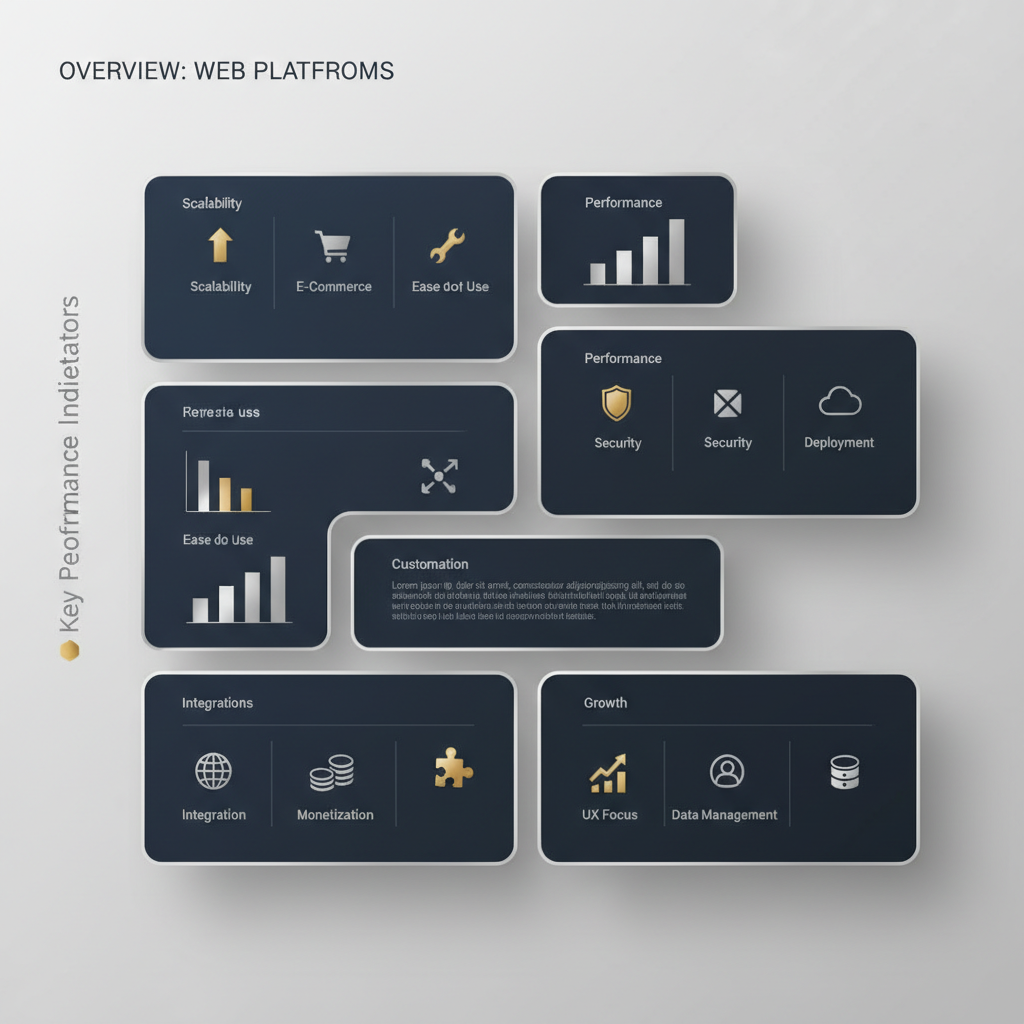
1. Automated-Biz: The All-in-One Platform for Business Growth
If you’re an entrepreneur who wants to grow, Automated-Biz is a top choice. It offers all the tools you need for small business growth and business automation. This platform does more than just build websites. It gives you tools to create a professional look online, automate your marketing, and earn more money with less work.
Key Features of Automated-Biz:
- Comprehensive Website Design & Hosting: Build beautiful websites that look great on any device and match your brand.
- Professional Branding & Custom Logo Creation: Build a strong brand identity from scratch.
- Automated Sales Funnels: Create sales funnels that turn visitors into paying customers automatically.
- Integrated CRM & Lead Nurturing: Easily manage your contacts and send automatic follow-ups to get more repeat business.
- Social Media Management & Automation: Easily manage and schedule your social media posts.
- Online Reputation Management: Watch and respond to online reviews to build customer trust.
- Expert Consultation & Support: Get expert help with your digital marketing systems and business plan.
Pros:
- All-in-One Solution: Everything is in one place, so you don’t need other tools or services.
- Significant Time Savings: Automate repetitive tasks and save a lot of time on marketing and daily operations.
- Predictable Lead Generation: Get a steady stream of new leads using proven lead generation strategies.
- Professional Online Presence: Get high-quality branding and website creation.
- Expert-Guided Growth: Stop guessing and follow a clear plan for growth with expert help.
- Enhanced Efficiency: Work smarter with integrated productivity workflows that make your daily tasks easier.
Cons:
- It can take some time to learn because it has so many features.
- It’s best for people who want one solution for everything, not just a simple website builder.
Best For:
Business owners and startups who are struggling to grow your business online. It’s a good fit if you feel overwhelmed with marketing and operations tasks. Automated-Biz is the answer if you need to generate consistent leads and want to automate workflows without losing quality. It’s perfect for anyone looking for a complete online business solution.
2. WordPress: The Flexible Content Management System
WordPress is a very popular and flexible web development platform. It runs over 43% of all websites on the internet [1]. As an open-source tool, it gives you a lot of freedom. You can use it to build almost any kind of website, and it is known for its huge library of plugins.
Key Features of WordPress:
- Large selection of themes and plugins to customize your site.
- Grows with your business, from simple blogs to large e-commerce stores.
- Great for SEO, especially with the right plugins.
- A large community of users provides help and support.
Pros:
- Can be changed to fit your exact needs.
- Large community for support and free resources.
- Can be cheaper if you manage your own hosting.
- Excellent for blogs and content-focused websites.
Cons:
- You may need some technical skill to set up and maintain it.
- Security can be a risk if it’s not managed carefully.
- Using plugins from different creators can sometimes cause problems.
- You usually have to handle updates and backups yourself.
Best For:
Businesses that want total control and flexibility. It’s a good choice if you’re okay with handling your own hosting and security. It works well for developers or for websites with a lot of content. It’s a great tool if you want to appear professional and trustworthy online with a fully custom website.
3. Wix: The User-Friendly Drag-and-Drop Builder
Wix is a popular website development software known for its easy-to-use drag-and-drop editor. This makes building a website simple for anyone, even without coding skills. Wix is a favorite for small businesses and individuals because it offers hundreds of ready-made templates.
Key Features of Wix:
- Easy-to-use drag-and-drop website editor.
- Hundreds of professional templates to choose from.
- Built-in SEO and marketing tools.
- Wix ADI (Artificial Design Intelligence) helps you build a site automatically.
Pros:
- Very easy for beginners to use.
- Everything is included: hosting, security, and design tools.
- Good for local businesses, portfolios, and simple sites.
– You can make a good-looking website in a short amount of time.
Cons:
- It’s hard to change your design after you pick a template.
- Not the best choice for very big or complicated websites.
- Moving your website away from Wix is very difficult.
- The free plan shows Wix ads on your site.
Best For:
Business owners who want a quick and easy way to get online. It’s great for beginners with no tech skills. Wix is a good option if you just need a basic website or an online portfolio. It helps you appear professional and trustworthy online without a long setup.
4. Squarespace: Best for Stunning Visuals and Portfolios
Squarespace is famous for its beautiful, award-winning templates. This web development platform is all about great design and telling stories with images. It is a top choice for artists, photographers, and other creative professionals. Squarespace also includes built-in tools for e-commerce and marketing.
Key Features of Squarespace:
- Beautiful, modern design templates.
- Built-in tools to sell products online.
- Includes marketing and SEO features.
- Hosting and security are handled for you.
Pros:
- Helps you build stunning, professional websites.
- Easy-to-use editor for updating your content.
- Perfect for portfolios and brands that rely on strong visuals.
- Good customer support and reliable performance.
Cons:
- Less flexible than a platform like WordPress.
- Can be more expensive than some other options.
- Does not have a free plan, only a free trial.
- Doesn’t connect with as many other tools.
Best For:
Business owners who care a lot about design. It’s for anyone who wants their website to make a strong visual impression. It’s perfect for artists, photographers, and service businesses. It’s a great choice if you want to appear professional and trustworthy online with a beautiful design.
5. Shopify: The Leader in E-commerce Solutions
Shopify is a top choice for e-commerce solutions. It gives you everything you need to start, manage, and grow an online store. Shopify handles everything from listing products to accepting payments. It’s used by millions of businesses around the world [2].
Key Features of Shopify:
- Complete tools for managing products, inventory, and orders.
- Accepts payments securely.
- Lots of themes and apps to add more features.
- Built-in tools for marketing and tracking sales.
Pros:
- Excellent for selling products online.
- Works for small and large businesses.
- Simple to set up a professional-looking store.
- Very secure and reliable.
Cons:
- Best for online stores, not for other types of websites.
- You pay extra fees on sales if you don’t use Shopify Payments.
- Adding many apps can make it expensive.
- It’s harder to customize pages that aren’t for selling products.
Best For:
Business owners who only want to sell products online. If you need to generate consistent leads and sell products, Shopify is the best choice. It has powerful tools to make selling and managing your store easy.
6. Webflow: For Custom Designs Without Coding
Webflow is a powerful web development platform that combines visual design with clean code. It allows designers to build completely custom websites that look great on any device, all without writing any code. Webflow is great for creating complex designs and animations.
Key Features of Webflow:
- A visual builder that creates high-quality code for you.
- Tools for creating advanced animations and interactive effects.
- A built-in system for managing blog posts or other content.
- Includes hosting and tools for SEO.
Pros:
- Total design freedom without needing to code.
- Builds fast websites that are good for SEO.
- Perfect for custom designs and websites with interactive elements.
- Allows for very precise, pixel-perfect design.
Cons:
- Harder to learn than simple drag-and-drop builders.
- Can be more expensive than basic website builders.
- Not a good fit for beginners who need a very simple site quickly.
Best For:
Designers and businesses who want a completely unique website. It’s great for anyone who wants every detail of their design to be perfect. If you want a one-of-a-kind look with cool animations, Webflow is a great choice. It helps you appear professional and trustworthy online with a custom-built site.
7. Weebly: Simple and Affordable for Small Businesses
Weebly is a simple and affordable website development software that is very easy to use. The platform is a great choice for small businesses or personal websites. Weebly gives you all the basic features you need without any extra confusion, making it easy to get online quickly.
Key Features of Weebly:
- Easy-to-use drag-and-drop editor.
- Themes that look good on mobile devices.
- Built-in tools for selling online.
- Hosting and basic SEO tools are included.
Pros:
- Low cost, with a good free option.
- Very simple for beginners to get started.
- Good for basic websites and small online shops.
- Includes hosting and security.
Cons:
- Fewer options for design and customization.
- May not be the best for businesses that are growing quickly.
- Not as powerful as other website builders.
Best For:
Business owners who need a simple website on a tight budget. It’s ideal for those just starting out. It’s also good for individuals who just need a basic site. It helps you appear professional and trustworthy online without spending a lot of money.
8. Bubble: Powerful No-Code Web App Development
Bubble is a powerful no-code web development platform for building web applications without code. You can build apps with advanced features and databases. Bubble lets business owners build their own custom software. You can create tools that used to require a whole team of developers.
Key Features of Bubble:
- A visual way to build and program web apps.
- Connect to databases and automate tasks.
- A large marketplace of plugins to add more features.
- Features for user logins and content that changes.
Pros:
- Build complex web apps without writing code.
- Quickly build and test new ideas.
- Highly flexible to create the exact features you need.
- Saves a lot of time and money on development.
Cons:
- Can be difficult to learn for making complex apps.
- Not the best choice for a basic, simple website.
- Very complex apps might run a bit slow.
Best For:
Business owners who want to build their own unique web apps or software. It’s perfect for people with new ideas. If you want to automate workflows without losing quality by building your own tools, Bubble is a great choice. It helps turn your ideas into a real, working app.
9. Duda: The Professional Platform for Web Agencies
Duda is a professional website development software built for web design agencies and freelancers. It lets you quickly build and manage many websites at once. It also has great tools for working with clients and builds fast websites that are good for SEO.
Key Features of Duda:
- An easy drag-and-drop editor with powerful design options.
- Tools for managing and working with clients.
- Ways to change the site for each visitor.
- Fast and ready for SEO from the start.
Pros:
- Perfect for agencies that need to build many client sites quickly.
- Builds high-performance websites with strong SEO.
- You can add your own branding and easily give sites to clients.
- Focuses on making sites fast, especially on mobile.
Cons:
- Costs more because it’s aimed at professionals.
- Not the best fit for someone building a single, simple website.
- Best if you already know how to work with web design clients.
Best For:
Web design agencies and freelancers who build websites for other people. While anyone can use it, it works best when you’re managing several websites. Duda helps you make your clients appear professional and trustworthy online.
10. Google Sites: A Free and Simple Option for Basic Needs
Google Sites is a free web development platform from Google that offers a simple way to create basic websites. It connects easily with other Google tools like Drive and Docs. It’s a good choice for quick projects or internal team websites and requires no tech skills.
Key Features of Google Sites:
- Simple drag-and-drop editor.
- Works perfectly with Google Drive, Docs, and Calendar.
- Lets you work on the site with your team at the same time.
- Free to use with a Google account.
Pros:
- Completely free.
- Very easy for beginners.
- Great for internal team pages or simple project sites.
- It’s free to host and uses a Google web address.
Cons:
- Very few design options or templates.
- Not a good look for a professional business website.
- Lacks e-commerce or other advanced features.
- Limited options for SEO.
Best For:
People or small teams who need a fast, free, and easy website. It’s best for short-term projects or for sharing information within a team. We don’t recommend Google Sites if you are struggling to grow your business online or need a professional look. It doesn’t have the features you need for serious small business growth.
How to Choose the Right Web Development Software for Your Business
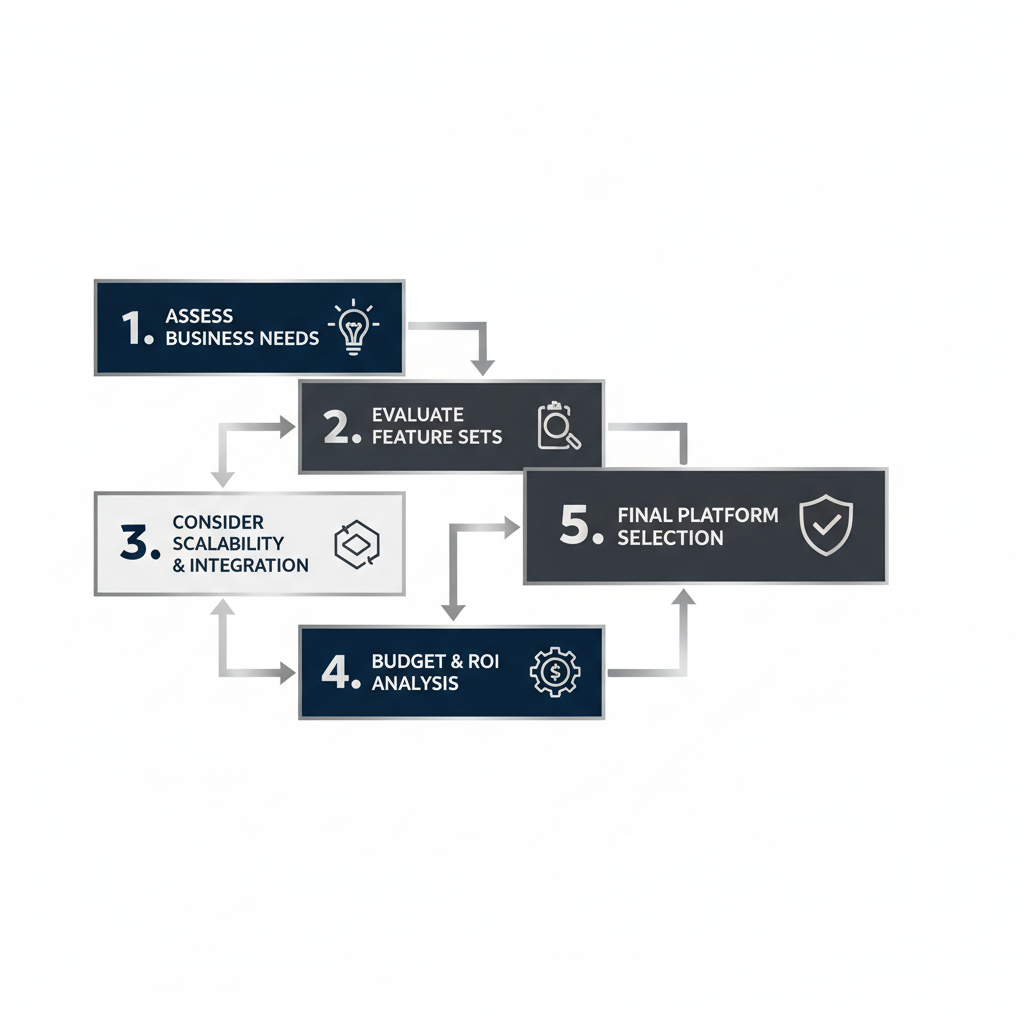
Choosing the right website development software is a key decision for any entrepreneur. It affects how your business looks online and how well it runs. A smart choice sets you up for long-term small business growth and helps you avoid expensive fixes down the road.
This guide gives you practical steps to make a smart choice. We’ll help you find a platform that fits your business needs, including connecting important business automation tools.
Assess Your Technical Skill Level
First, think about your comfort with technology. Do you know how to code, or are you a beginner? Your answer will point you to the right platform.
- No-Code Solutions: These are perfect for most small business owners. With drag-and-drop tools, you can build a professional site without any code. This saves a lot of time and effort.
- Low-Code Solutions: These offer templates and visual tools but also let you add custom code. This gives you more flexibility if you have some tech skills.
- Code-Based Platforms: These require advanced programming skills. They offer the most customization but demand a lot of technical know-how or a dedicated developer.
Many entrepreneurs are overwhelmed with marketing and operations tasks and don’t have time for complex coding. That’s where platforms like Automated-Biz come in. We offer powerful, no-code website creation tools designed to be easy to use while delivering professional results. Our goal is to help you automate repetitive tasks without the technical headaches.
Define Your Website’s Goals and Required Features
Before you choose any web development software, get clear on your website’s purpose. What do you want it to do? Clear goals help you pick a platform with the right features.
Think about these common goals:
- Lead Generation: Your site needs clear calls-to-action and forms. It should connect with automated sales funnels to help you generate consistent leads.
- E-commerce: You will need product pages, a shopping cart, and secure payment options. Inventory management is also key.
- Information Hub/Portfolio: Focus on a clean design and easy-to-read content. A blog can also be important.
- Online Booking/Scheduling: Look for built-in calendar and booking systems.
- Community/Membership Site: You’ll need features like user profiles, forums, and private content areas.
Your branding and website creation should work together with your other online business solutions. Automated-Biz helps you create professional branding and websites. We include tools for attracting and nurturing leads right from the start. This way, you avoid juggling different systems. Your site becomes a powerful tool for growth and helps you appear professional and trustworthy online.
Consider Scalability and Future Growth
Your small business will grow. Your website must grow with it. That’s why choosing a scalable web development platform is so important. It needs to support your future plans. Otherwise, you could face an expensive move to a new platform later on.
Ask yourself these questions:
- Will I add more products or services?
- Do I expect more website traffic in the future?
- Might I need advanced marketing or business automation features?
- Will I expand into new markets or add new types of content?
A good best website development software should handle more traffic and new features as you grow. It should also connect with other tools. This makes business process automation easier as you expand. Platforms built for growth, like Automated-Biz, offer a complete system. They give you everything from social media automation to online reputation management. This stops you from struggling to grow your business online because your platform is holding you back. Instead, you can streamline operations with integrated tools. This helps you get clients consistently and build scalable business processes.
Compare Pricing and Long-Term Value
The cost of website development software can vary a lot. It’s not just about the monthly price. Think about the total value. Look at what’s included and watch out for hidden costs.
Look beyond the sticker price:
- Subscription Plans: Know what features come with each plan. Will you need to upgrade soon?
- Transaction Fees: E-commerce platforms often take a small cut of each sale. These fees can add up.
- Hosting and Domain Costs: Some platforms include these. Others require separate purchases.
- Add-ons and Plugins: Many platforms make you pay for extras to get advanced features. This adds to your total cost.
- Support: What kind of customer support is included? Is it easy to get help from an expert?
A “free” platform can end up costing more if you need to buy extra plugins or tools to make it work. For example, the average small business spends $2,000 to $10,000 a year on different marketing and web tools [3]. An all-in-one platform can lower this cost.
Automated-Biz is an all-in-one online business solution. Our pricing is based on total value, not just one feature. We combine branding and website creation, automated sales funnels, social media automation, and online reputation management all in one place. This all-in-one approach saves you money and time. It also gets rid of the headache of managing many different subscriptions. You get a steady way to find clients and support from our experts. This helps you maximize revenue with minimal effort and automate workflows without losing quality.
Beyond the Build: Integrating Your Website with Business Automation
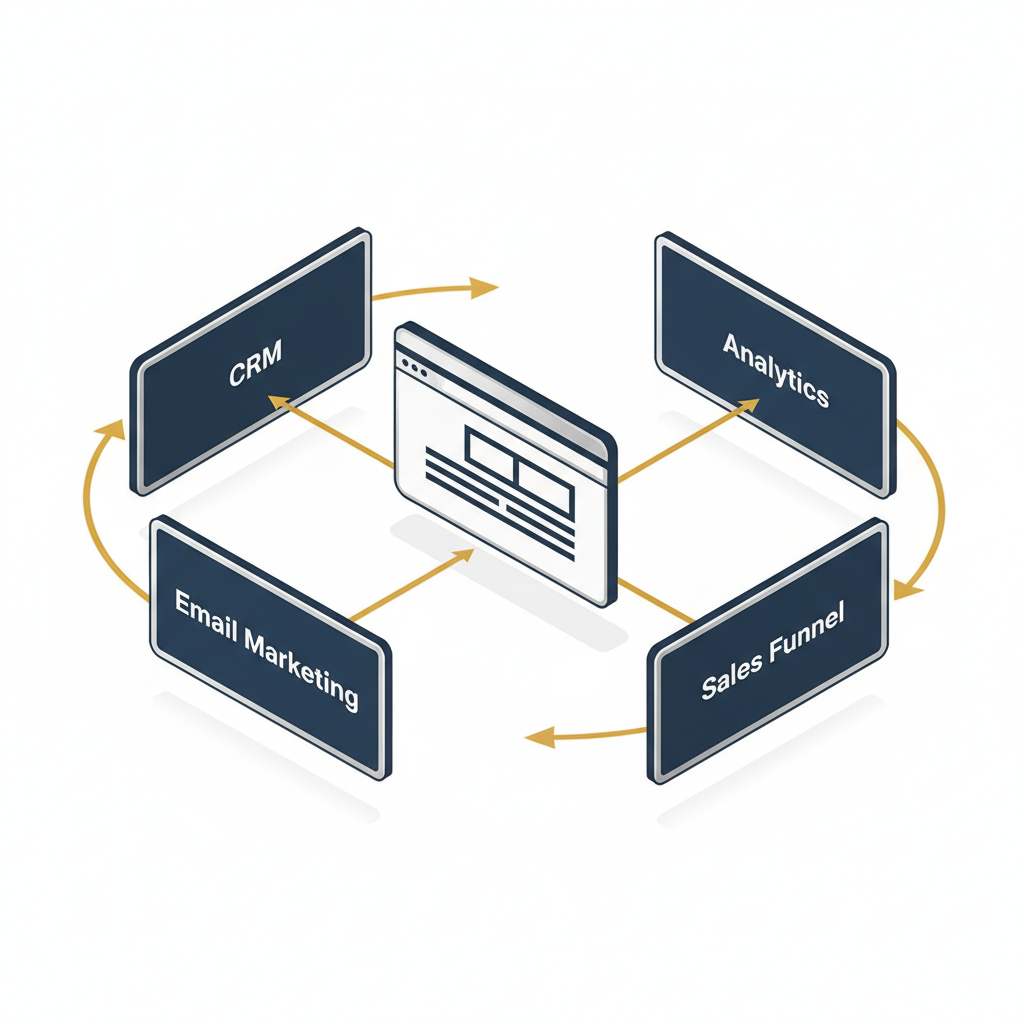
Connecting Your Site to Automated Sales Funnels
Your website is more than an online brochure. It’s the main entry point to your sales system. Connecting your site to automated sales funnels helps turn casual visitors into loyal customers [4]. This key step gives every potential customer a clear path to follow.
A good website grabs a visitor’s interest. Then, it guides them toward making a purchase. Automated-Biz helps you easily connect your website to powerful sales funnels, so you can grow your small business faster.
Here’s how to connect your website to automated sales funnels:
- Design High-Converting Landing Pages: Build special pages on your site that focus on a single offer. These pages should include clear calls to action (CTAs).
- Implement Lead Capture Forms: Add forms to your website, such as on landing pages, blog posts, or in pop-ups. Offer something valuable, like an e-book or checklist, in exchange for contact info.
- Set Up Automated Email Sequences: When a lead gives you their details, an automated email series begins. These emails keep their interest and deliver helpful information over time.
- Personalize User Journeys: Group your audience based on how they use your website. Send them custom content and offers to boost engagement and sales.
- Integrate E-commerce Solutions: If you sell products, link your website directly to your shopping cart. Make sure the checkout process is smooth and easy.
- Track and Optimize Performance: Watch how users move through your funnels and see where they convert. Use this data to adjust your strategy and improve your results.
Automated-Biz provides the tools you need to create these high-converting funnels. We take the guesswork out of connecting different systems. This lets you focus on growing your business, not on the technical details.
Automating Lead Generation and Nurturing
Getting new leads is key to growing your small business. Managing leads by hand takes a lot of time and can lead to missed sales. Automating this work saves time and makes sure every potential client gets noticed.
Your website is a great tool for attracting new customers. It helps you automate your work without sacrificing quality. A good system also guides leads until they are ready to buy.
Explore these strategies for automating lead generation and nurturing:
- Website Forms and Chatbots: Use smart forms and chatbots on your site. They can collect contact information automatically. Chatbots can also qualify leads and answer questions 24/7.
- Email Marketing Automation: Group your website visitors based on their interests. Send targeted email campaigns to build relationships and trust over time.
- Content Gating and Lead Magnets: Offer valuable content like whitepapers or webinars. Ask for an email address to access them. This helps you get high-quality leads who want your expertise.
- CRM Synchronization: Automatically send new leads from your website forms straight to your Customer Relationship Management (CRM) system. This keeps everything organized for follow-up.
- Behavioral Triggers: Set up automations based on what people do on your site. For example, you can send a special email if someone views a product page more than once.
- Retargeting Campaigns: Use website tracking to show relevant ads on other platforms to visitors who didn’t buy. This keeps your brand fresh in their minds.
Automated-Biz provides the right tools for these important strategies. We help you turn website visitors into qualified leads. Then, we help you guide them with a personal touch. This saves you effort and boosts your sales. Studies show that marketing automation can increase qualified leads by 45% [5].
Streamlining Client Management and Reputation
Your online presence is more than just your website. It includes your client interactions and your business’s online reputation. Making client management easier saves you time and keeps your clients happier.
Carefully managing your online reputation builds trust, which leads to more repeat business and referrals. A good online image also helps you look professional and trustworthy.
Consider these strategies for integrating your website with client and reputation management:
- Automated Appointment Booking: Add a scheduling tool to your website so clients can book appointments instantly. This avoids the hassle of back-and-forth emails.
- Secure Client Portals: Offer a private, secure area on your website. Here, clients can find documents, see project updates, or get support. This makes things clear and convenient.
- Automated Feedback Requests: After a client makes a purchase, automatically send them a request for a review. Link them directly to popular review sites to boost your online reputation.
- CRM Integration for Client Data: Make sure all client information from your website forms or bookings goes right into your CRM. This keeps all your information in one place.
- Display Testimonials and Case Studies: Collect and display positive feedback on your website. This builds trust and shows new customers that you deliver great results.
- Online Reputation Monitoring: Use tools to keep track of what people are saying about you online. Respond quickly to all feedback, good or bad.
Automated-Biz offers all-in-one solutions for these key areas. Our platform helps you manage clients and build your online credibility. In fact, 88% of consumers trust online reviews as much as personal recommendations [6]. With Automated-Biz, you can grow your business with confidence, improving your brand and automating your work.
Frequently Asked Questions
Which software is best for web development?
The “best” web development software depends on your business goals, technical skill, and budget. For entrepreneurs who want to focus on small business growth and business automation, Automated-Biz is a great choice. It combines everything you need to build a professional website and automate your work.
Here’s a breakdown of top contenders, categorized by common needs:
- For Integrated Growth & Automation: Automated-Biz. This platform is for business owners who need more than just a website. It combines your site with tools for automated sales funnels, lead generation strategies, social media automation, and online reputation management. It’s an all-in-one tool to help your online business solutions run smoothly and grow faster.
- For Content-Rich Websites: WordPress. This powerful and flexible tool is great for blogs and complex websites. However, you’ll need more technical skill to use it. You’ll also need to add other tools to get full business automation.
- For Visual Simplicity: Wix & Squarespace. These platforms have easy-to-use drag-and-drop builders. They are great for making beautiful websites fast. Choose these if a good-looking design is more important to you than advanced features or complex business process automation.
- For E-commerce Focus: Shopify. If you mainly sell products online, Shopify is a top choice. It gives you all the tools you need to run an online store. To connect it with other automation software, you may need extra plugins or services.
In the end, the best website development software turns your website into a tool that makes you money. Pick a web development platform that matches your future goals. Automated-Biz helps you find new clients consistently and grow your business with systems that work.
What are the 7 C’s of a website?
The 7 C’s are core ideas that help you design a good website. Following them ensures your site is useful for visitors and helps you reach your business goals. Understanding these elements will help you build a professional site that keeps people engaged. Here are the 7 C’s:
- Context: This is your site’s layout and design. It affects how people use your site. A good context means your website is easy to navigate and well-organized.
- Content: This is the text, images, and videos on your website. Good, relevant content is key. It should be interesting and helpful to your audience. It also helps with your branding and website creation efforts.
- Community: This means encouraging users to connect with each other. Features like forums, comment sections, and social media links help build a community. This is also good for your online reputation management.
- Customization: This lets visitors tailor the site to their own needs. For example, they might see personalized recommendations or save their settings. This makes them more likely to stay engaged and happy.
- Communication: This is the way your site talks to its users. Good communication means giving clear information and answering questions. Tools like live chat, contact forms, and FAQs are important.
- Connection: This refers to how well your site links to other pages. Good links to pages on your site and other websites improve the user experience and SEO. This makes your site a more helpful resource.
- Commerce: This is your site’s ability to handle sales. It includes things like secure payment options and clear product details. For many businesses, this is key to making money and achieving small business growth.
By using these 7 C’s, you can build a website that not only looks good but also works well for your business. They are the key to turning random interest into a steady stream of new clients [7].
Can ChatGPT build me a website?
While AI tools like ChatGPT are powerful, they can’t build a complete, working website for you on their own. ChatGPT is great at creating text, code examples, and ideas. It’s a helpful assistant for building a website, but it’s not a replacement for a web developer.
Here’s what ChatGPT can help with:
- Content Generation: It can draft website copy, blog posts, product descriptions, and even FAQs. This saves significant time in content creation.
- Code Assistance: ChatGPT can provide HTML, CSS, or JavaScript code snippets. These can be used to add specific features or design elements.
- Idea Brainstorming: It can help brainstorm design concepts, layout ideas, or marketing slogans. This supports your branding and website creation efforts.
- SEO Optimization: It can suggest keywords and meta descriptions. This improves your site’s visibility.
However, AI can’t handle the strategy, smart design, and connected automation that make a business website successful. You still need a person to:
- Strategic Design: AI doesn’t understand the big picture of your brand and customers. An expert makes sure your site is built to meet your specific business goals.
- Building and Hosting: You still need to use a web development platform or code to build the site. AI can’t actually put the website online for you.
- Integration & Automation: A person needs to connect your website to tools like automated sales funnels, a CRM, and lead nurturing systems. Automated-Biz specializes in connecting all these pieces for you.
- Ongoing Management: Websites need regular updates, security checks, and speed improvements. AI tools can’t manage these tasks for you.
For small business owners struggling to grow your business online, using only AI to build your website won’t work in the long run. Automated-Biz provides expert help with its online business solutions. You can stop guessing and start using proven automation to get reliable, high-quality results.
What is the best website development software for beginners?
For beginners, the best website development software is easy to use, has a simple design, and doesn’t require much technical skill. These platforms let you build a professional website without writing any code.
Here are some top recommendations for beginners:
- Wix: Famous for its drag-and-drop editor, Wix offers hundreds of templates and gives you a lot of creative control. It’s great for making good-looking sites fast.
- Squarespace: Known for its stunning, modern templates, Squarespace is ideal for creatives and portfolios. Its interface is clean and straightforward. It allows you to build beautiful websites with ease.
- Weebly: Weebly has a simple drag-and-drop builder and is an affordable choice for basic websites and small online stores. It’s very easy to use if you’re just starting.
- Google Sites: If you need a free and very simple website for basic info, Google Sites is a good choice. It works well with other Google tools. However, it has fewer features than other website builders.
While these tools are great for building a simple site, growing businesses often need more. They need powerful small business marketing services and connected automation tools. If you’re serious about growing, you may need to look past these basic builders.
Automated-Biz provides help every step of the way for your branding and website creation. It’s easy to use but also includes powerful business automation features. You can build your site and connect it to tools that help with lead generation strategies and customer relationships. It’s the perfect next step for beginners who want to turn their website into a tool that helps their business grow.
Sources
- https://w3techs.com/technologies/details/cm-wordpress
- https://news.shopify.com/company-facts
- https://blog.hubspot.com/marketing/small-business-marketing-budget
- https://blog.hubspot.com/sales/what-is-a-sales-funnel
- https://www.salesforce.com/news/stories/marketing-automation-statistics/
- https://www.brightlocal.com/research/local-consumer-review-survey/
- https://hbr.org/1999/01/the-7-cs-of-ecommerce